

TL;DR
AccessOwl and Stitchflow go after the same buyer: the IT admin at a mid-market company, who is often both the buyer and the user. The difference is what you get. Stitchflow is a managed IT automation service. Its team learns your setup, builds your workflows and maintains them for you.
AccessOwl is a product built for access management. It automates onboarding, offboarding, access requests, approvals and reviews, and it provisions into apps without the need for APIs, SCIM or enterprise plans.
Teams comparing Stitchflow with AccessOwl should weigh three things:
Automation leans on Stitchflow's services team: Stitchflow builds and runs your workflows for you, with pricing that starts at $1,000 a month. New apps and changes go through their team.
Limited connectors that rely on APIs: Stitchflow connects to 60+ apps through their APIs. Other apps run through a browser agent on your own machine, and Stitchflow builds each of those integrations on a set timeline. In contrast, AccessOwl's 500+ integrations all support provisioning and deprovisioning, with no API required.
Product focus has shifted over time: Since 2023, Stitchflow has moved from IT dashboards to IT visibility and SaaS user management, then to provisioning apps without SCIM. Today it's a managed automation service.
A CISO at an enterprise company who uses Stitchflow wrote:
"better support for apps that don’t integrate with Okta or don’t support SCIM would be valuable."
CISO, enterprise company, G2 review of Stitchflow
AccessOwl as the alternative to Stitchflow for automated SaaS access management
If you want a vendor to build and run your IT workflows, Stitchflow's managed service is designed for that. If you want access automation that works out of the box and that your own team runs, AccessOwl is. It's for the IT team, or the person who takes care of IT on the side, who wants SaaS access to run on its own from an employee's first day to their last.
No SCIM or API required: AccessOwl was a pioneer of automated provisioning without relying on SCIM. That's why our 500+ integrations don't depend on an app's API or on upgrading each tool to its enterprise tier.
Integrations that work out of the box: AccessOwl works through a service account in each app. Every integration in our catalog is ready to use, runs centrally in AccessOwl and needs nothing installed on anyone's machine.
Quick to roll out: Connecting an app means inviting an account and giving it the right permissions. AccessOwl layers on top of Google Workspace or Microsoft Entra and can be live within a day.
AccessOwl works for companies from around 30 employees up through several hundred and beyond.
Sary, a B2B marketplace, used AccessOwl as it scaled to more than 600 people:
"Since we started using AccessOwl I haven't received a single direct message to request access to tools."
Khalifah Alsadah, Product Manager, from Sary's success story
Why teams look for a Stitchflow alternative
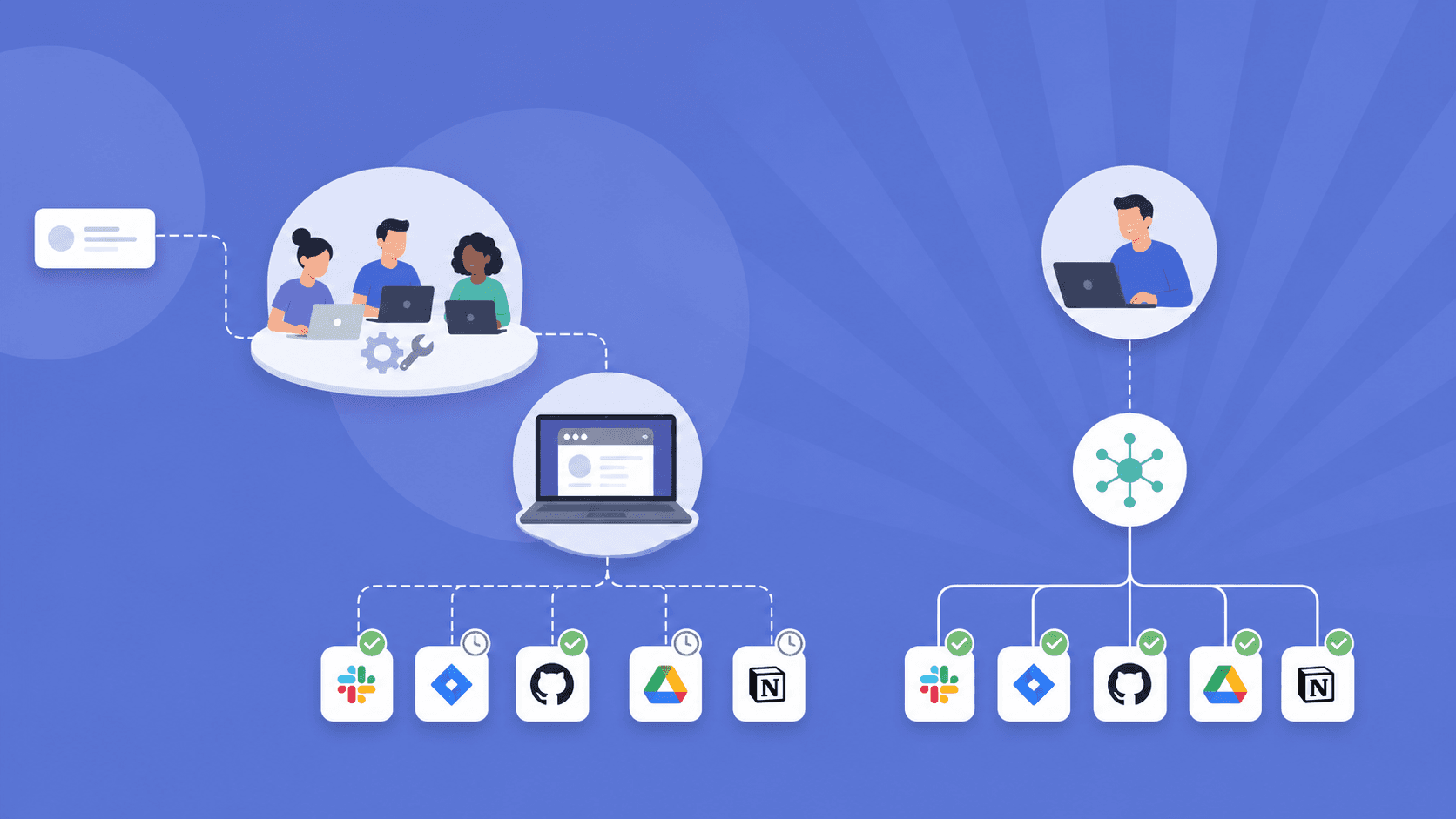
Stitchflow does a lot for its customers. It builds workflows in under a week, maintains them when apps change, and covers offboarding, license cleanup, access reviews and SaaS spend in one service. Its offboarding is detailed, with "47 actions across 30 apps, with branching logic per exit type."
The trade-offs show up in how that automation is delivered, which apps it reaches and how much the offering has changed. One Stitchflow user put the coverage problem this way:
"The one area I’d love to see improved is better automation for tools that don’t integrate as smoothly. Right now, we have to manually upload CSVs for some systems, which can be time-consuming."
Verified user in IT and services, mid-market company, G2 review of Stitchflow
Automation leans on Stitchflow's services team
Stitchflow describes itself as "a managed IT automation service." Its homepage sums up the model: "We learn your setup. We build your workflows. We maintain everything." Each workflow is built for your company, and your team reviews the results in Slack.
That can be appealing, because you get workflows without building them. But it changes what you're buying:
The automation depends on Stitchflow's team as well as the software.
New apps, new rules and changes to a workflow go through that team. Stitchflow's own line is "You tell us the what. We figure out the how."
The cost includes the service. Stitchflow builds your first workflow for free, and after that pricing "Starts at $1K /month" for "All workflows. All maintenance."
AccessOwl is a product your team runs itself. Connecting an app takes minutes, and access templates, approval rules and reviews are set up in the dashboard by your own team. AccessOwl publishes its pricing, with no seat minimum and a $250 monthly minimum spend.
Limited connectors that rely on APIs
Stitchflow connects to "60+ apps via API" with read and write access. For apps that don't have a management API, or keep it on an expensive plan, it uses "a browser agent that runs locally on your machine." Apps with neither can be brought in by CSV upload.
Stitchflow says this covers "100% of your app stack." A few things are worth checking before you rely on it:
Browser apps are built for you: Stitchflow's pricing lists "Browser integrations on a committed timeline." So an app outside the 60+ isn't automated on day one.
The agent runs on your side: Stitchflow describes it as a "Dedicated Chromium, running locally" with "Credentials in your OS keychain." Ask which machine it runs on in your setup.
The approach has changed: In late 2025, Stitchflow ran its browser automation in hosted browsers, with on-call engineers to handle logins. In 2026 it moved to the local agent.
AccessOwl has provisioned through service accounts and browser automation since 2022, and it all runs centrally. Nothing is installed on anyone's laptop. Every one of the 496 SaaS apps in our catalog supports provisioning and deprovisioning, on the plan you already pay for.
"Every single app except for two at this company are now being managed through AccessOwl"
Shane Fritts, Sr. IT Manager, from Maxio's success story
Product focus has shifted over time
Stitchflow has repositioned several times since it launched. Its homepage shows the path:
2023: "No-code cross-tool dashboards for Corporate IT"
2024: IT visibility, to "find and fix user access and license gaps"
2025: SaaS user management, then provisioning for apps without APIs or SCIM
2026: "IT Automation, Built and Managed For You"
At different points, Stitchflow's offering has been close to what AccessOwl does and at others further away. So the practical question for a buyer is what you're buying today. Is it a product, a service, or both?
AccessOwl has stayed on one job: automating access across the whole SaaS stack.
Comparing Stitchflow v.s. AccessOwl: Features and Pricing
Stitchflow | AccessOwl | |
|---|---|---|
Built for | IT teams that want workflows built and maintained for them | Companies from around 30 employees to several hundred and beyond, for IT teams and solo IT admins |
Core focus | Managed IT automation: offboarding, license cleanup, access reviews and SaaS spend | Access automation: onboarding, offboarding, access requests and reviews |
Delivery model | Managed service. Stitchflow builds and maintains your workflows | Product. Your team sets it up, usually within a day |
Identity providers | Major identity providers, including Google Workspace, Microsoft Entra, OneLogin and JumpCloud | Built for Google Workspace and Microsoft Entra, and also integrates with Okta |
How apps are provisioned | 60+ API integrations, a local browser agent for other apps, and CSV upload | Service accounts and browser automation for most apps, with APIs and SCIM where they fit |
SaaS apps in integration catalog | 60+ via API. Browser integrations built per customer | 496, each with provisioning and deprovisioning |
Shadow IT discovery | Spend intelligence that joins user and app data with financial data | Google Workspace and Microsoft sign-in logs, invitation-email scan, free scan |
Self-service access requests | Workflows can start from a Slack or Teams form | Slack and web app catalog |
Time-based access | Scheduled execution for deferred access | Yes. Access is removed inside the app when it ends |
Access reviews | Yes, with reviewer sign-off in Slack and auditor-ready evidence | Included. Flagged access is removed during the review |
Pricing | Starts at $1,000/month. First workflow built free | Public pricing. $250/month spend minimum, no seat or employee minimum, no SSO tax |
From each vendor's website and integrations page, October 2026.
Provisioning and app coverage

Stitchflow
API integrations: 60+ apps with read and write access, to provision, deprovision, modify roles and update entitlements.
Local browser agent: For apps without a management API, or with one on an expensive plan. It runs in a dedicated Chromium browser on your machine, with credentials kept in your OS keychain.
CSV upload: For apps with no API and no web interface the agent can automate.
Maintained by Stitchflow: The team monitors each integration and fixes it when an API or admin console changes.
AccessOwl
Every app in the catalog is automated: 500+ integrations are listed. 496 are SaaS apps, and each one supports provisioning and deprovisioning.
No API or SCIM needed: AccessOwl automates apps that offer neither, on the plan you already have.
Automatic provisioning: Approved access shows up in the app on its own, so nobody has to open an admin console, create the account and set the permissions by hand. When someone leaves, their accounts are removed the same way.
Integrations with IdP & HRIS systems
Stitchflow
Identity providers: Stitchflow builds an identity graph that joins app data with your identity provider. Its MCP page lists Google Workspace, Azure AD, OneLogin and JumpCloud among others.
Triggers: Workflows can start from an HRIS webhook or an identity provider event. BambooHR is among the listed apps.
AccessOwl
Google Workspace and Microsoft first: Built for teams whose main identity layer is Google Workspace or Microsoft Entra, and it works with Okta too.
No migration: AccessOwl sits on top of what you already run and can be live within a day.
HR systems: Connects to 54 HRIS systems out of the box.
Onboarding and Offboarding
Stitchflow
Offboarding in one click: Stitchflow's example runs "47 actions across 30 apps, with branching logic per exit type," with a full audit trail.
Built around your rules: Workflows handle exceptions like file transfers before deactivation and contractors versus full-time staff.
Onboarding included: Onboarding is listed among the workflows every plan covers.
AccessOwl
Onboarding from the HRIS: A new start date applies the access template for the role, and the manager can adjust it for the individual hire.
Accounts ready on the first morning: Accounts and permissions are created inside each app before day one, down to Slack channels and team spaces.
Offboarding from the HRIS: Once the last workday has passed, AccessOwl removes access inside each app and logs each step as audit evidence.
Shadow IT at offboarding: The Shadow IT scan lists apps the person signed up for without IT, so nothing gets missed on the way out.
Shadow IT discovery
Stitchflow
Spend intelligence: Stitchflow joins its map of users and apps with financial data from expense tools, bank statements and contracts.
What it surfaces: "Surface shadow IT, stale subscriptions, duplicate tools, and unowned spend."
AccessOwl
Nothing to install: AccessOwl finds apps through sign-in logs from Google Workspace and Microsoft and by scanning for invitation emails, so it doesn't depend on employees.
Apps without "Sign in with Google": An advanced scan picks up apps people signed up for with a password.
Self service access requests
Stitchflow
Workflows started from a form: A workflow can be kicked off from a Slack or Teams form, or started manually.
AccessOwl
Request in Slack or on the web: Employees pick an app and a permission level in a few clicks. Managers can ask on behalf of colleagues and contractors.
Approvals routed to the right person: The approver, usually the manager or IT admin, gets a one-click task in Slack, email or the dashboard. Admin roles can require a longer approval chain.
Account created on sign-off: Once the last approval is in, AccessOwl creates the account at the requested level.
Every step on record: Who asked, who approved and when are all logged, ready to hand to an auditor.
Time-based access works the same way. Set an end date for a contractor or a short stint on a sensitive system, and AccessOwl removes the access when it passes.
Access Reviews and Audit Evidence
Stitchflow
Continuous checks: Stitchflow runs "continuous gap detection" across your apps.
Sign-off in Slack: Reviewers approve in Slack, and the results become auditor-ready evidence for SOC 2, ISO 27001 and HIPAA.
"Would love a Slack integration to notify us about access issues or send out access reviews."
Sr. IT Systems Engineer, mid-market company, G2 review of Stitchflow (April 2025)
AccessOwl
Users pulled from apps: AccessOwl imports users and permissions from each connected app and flags former employees and accounts that match no one in your directory.
Context for every decision: Reviewers see how access was granted, who approved it, earlier review decisions and recent changes.
Fixed during the review: Access a reviewer flags is removed right away, with no follow-up ticket.
Evidence for auditors: Each decision is saved with the reviewer's reason. Export the report or push it to Vanta for SOC 2 and ISO 27001 audits.
"Reviews of Access can be compiled in minutes, rather than days"
IT Support Lead, mid-market company, G2 review of AccessOwl
Pricing
Stitchflow
Free to start: There are no setup costs. Stitchflow builds your first workflow, you test it, and payment starts once it runs in production.
Monthly fee: Pricing "Starts at $1K /month" and covers all workflows and maintenance.
One fee for the service: Onboarding, offboarding, license management, access reviews and spend intelligence are included.
AccessOwl
Published prices: AccessOwl's prices are on its website, so you can estimate your cost before talking to anyone.
No SSO tax: Because AccessOwl provisions through a service account on your current plan, you don't upgrade apps to unlock their APIs. That SSO tax can add tens of thousands of dollars a year.
No seat minimum: There's no minimum number of seats or employees, just a $250 monthly minimum spend.
Who Stitchflow is best for
Stitchflow is a better fit when you:
Want a vendor to build and maintain your IT workflows for you
Want offboarding, license cleanup, access reviews and SaaS spend handled as one service
Have most of your important apps among the ones Stitchflow connects to by API
Have the budget for a managed service, starting at $1,000 a month
Who AccessOwl is better for
AccessOwl is a better fit than Stitchflow when you:
Want access automation that works out of the box, run by your own team
Want onboarding and offboarding to create and remove accounts on their own
Want employees to self-serve requests, with approvals and provisioning that follow automatically
Use apps without a usable API or SCIM, and don't want an agent running on a machine on your side
Run on Google Workspace or Microsoft Entra and want to be live within a day
Questions to decide between Stitchflow and AccessOwl
Do you want a product your team runs, or a service that runs it for you?
Which of your apps are covered by API today, and which would need a browser integration built first?
Where would the browser agent run in your setup?
What will it cost per year once every workflow you need is included?
Note: This article was written on October 8, 2026 with information available to us from public information about Stitchflow and reviews of it. If any information is inaccurate or misrepresents Stitchflow, get in touch with us.
FAQs
Is Stitchflow a product or a service?
Both. Stitchflow calls itself "a managed IT automation service." Its team learns your setup, builds your workflows on top of its own integrations and maintains them when apps change. AccessOwl is a product your own team sets up, usually within a day, with integrations that work out of the box.
Can Stitchflow provision apps that don't have an API?
Yes. Stitchflow connects to 60+ apps through their APIs. For other apps, it uses a local browser agent that runs on your machine, and its pricing lists browser integrations "on a committed timeline." Apps with no API and no automatable web interface can be brought in by CSV. AccessOwl provisions through service accounts and browser automation that run centrally, and every one of the 496 SaaS apps in its catalog supports provisioning and deprovisioning.
How much does Stitchflow cost?
Stitchflow builds your first workflow for free. After that, pricing "Starts at $1K /month" and covers all workflows and maintenance. AccessOwl publishes its pricing, with a $250 monthly minimum spend and no seat or employee minimum.
When should I choose AccessOwl as the alternative to Stitchflow?
AccessOwl is the right alternative to Stitchflow when you want access automation that works out of the box and is run by your own team. It also fits when you want onboarding and offboarding to create and remove accounts on their own, and want access requests and approvals in Slack. It covers apps without a usable API or SCIM with nothing installed on your machines, and can be live within a day at a company of around 30 employees up to several hundred and beyond.
How do I know if Stitchflow is the right solution for me?
Do you want a vendor to build and maintain your IT workflows for you? Do you want offboarding, license cleanup, access reviews and SaaS spend handled as one service? Are most of your important apps among the ones Stitchflow connects to by API? Do you have the budget for a managed service from $1,000 a month? If most of the answers are yes, Stitchflow is likely a strong fit.