
TLDR:
Everyone agrees user access reviews matter. The problem is figuring out how to actually run one when you're the only IT person at a 90-person company and nobody's tracking who has access to what across 75 different SaaS apps. Pulling user lists programatically may require upgrades to enterprise plans that are not within budget. You need a that works without requiring everyone to upgrade to enterprise plans just to pull a user list. You need user access review procedures that don't take 149 days and 23 people to finish. And you need a user access review policy that satisfies SOC II user access review requirements, ISO 27001 user access review controls, and PCI DSS user access review mandates without turning quarterly reviews into a full-time project.
Whether you're building a periodic user access review spreadsheet template, writing emails to chase down approvals, or choosing between user access review automation platforms like AccessOwl, Drata, SailPoint, or Vanta the mechanics stay the same: pull current access data, get someone with business context to review it, remediate what doesn't belong, and document every decision for the audit trail. What follows is a breakdown of the user access review process, how often to run reviews, what belongs in a user access review checklist, and how to generate a user access review report PDF that auditors will actually accept.
A user access review audits who has access to which systems and whether those permissions still match their role, creating the evidence SOC 2 and ISO 27001 auditors require.
Manual reviews take 149 days and 23 people on average, versus 55 days and 15 people when automated, per Secureframe data.
Most teams run quarterly reviews for admin accounts and semi-annual for standard apps, with immediate reviews triggered when someone leaves or changes roles.
AccessOwl automates reviews across 400+ apps without requiring enterprise SCIM upgrades, pulling live data and revoking flagged access in the same session.
What Is a User Access Review?
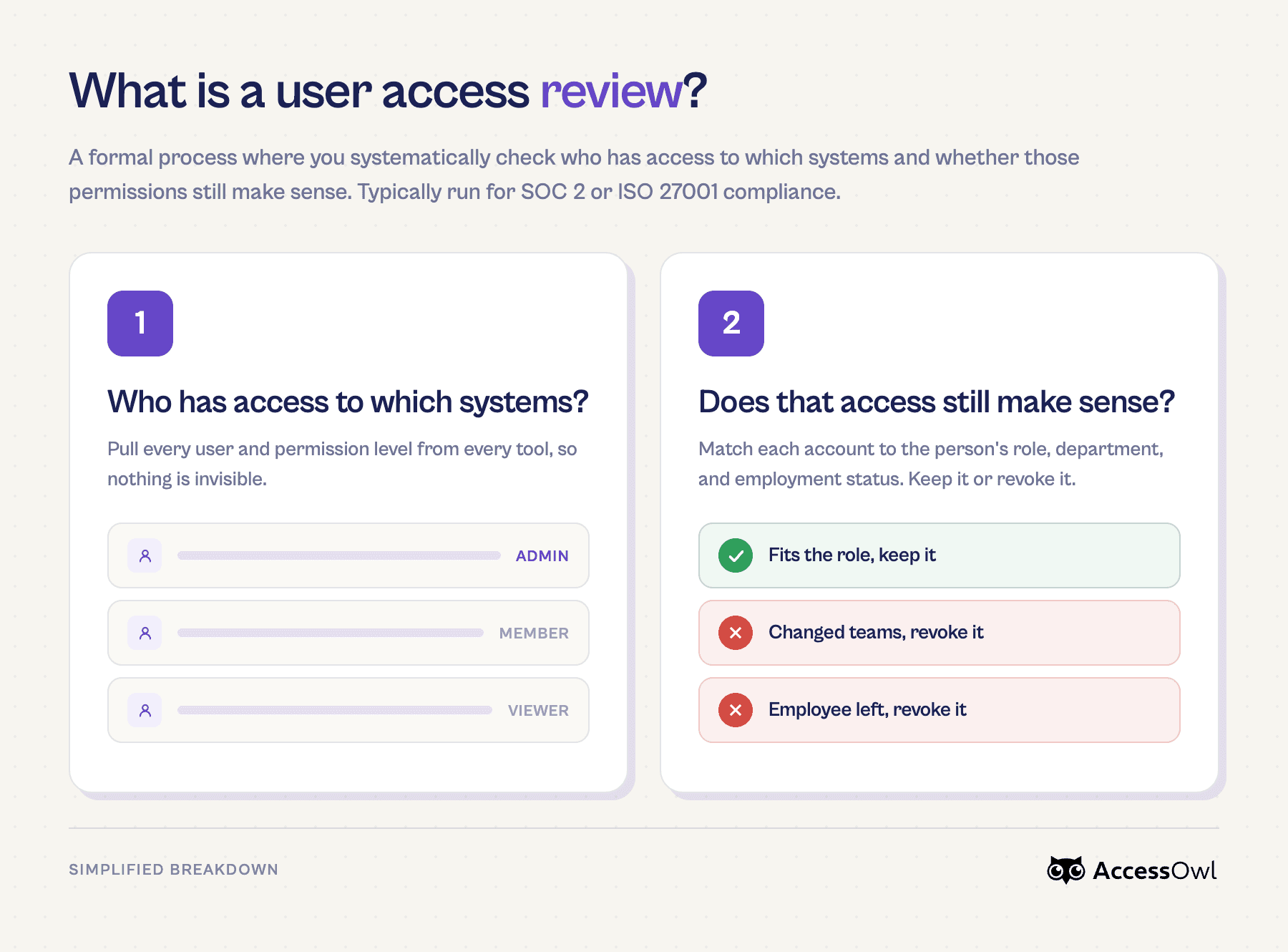
A user access review (UAR, also called User Access Review) is a formal process where you systematically check who has access to which systems and whether those permissions still make sense. It's an audit of every account across your SaaS stack, matched against each person's current role, department, and employment status.
Designated reviewers look at each user's permissions in a given application and decide whether to approve, modify, or revoke them. Every decision gets documented, creating an audit trail that proves your organization is actively governing access.
If you've only been managing access informally, a UAR is what turns that into a repeatable, evidence-backed process.
Why User Access Reviews Matter
Without a structured review process, permissions accumulate quietly. People change roles, leave the company, or stop using tools they once needed. Those accounts stay active, and each one is an unmonitored entry point.
The risk shows up in three ways:
Security exposure grows with every orphaned or over-permissioned account. A single former employee with lingering admin access can cause damage that's hard to detect until it's too late.
Auditors expect evidence that you're governing access. SOC 2 and ISO 27001 certifications both treat periodic access reviews as a control, not a suggestion. Missing that evidence can stall your audit or cost you the certification that closes enterprise deals.
The financial fallout compounds. According to Linford & Company, organizations that skip regular reviews face higher remediation costs when issues surface during an audit versus catching them proactively.
If you're weighing whether formal reviews are worth the time, consider what's at stake: customer trust, revenue-gating certifications, and the quiet accumulation of risk you can't see from a dashboard.
Who Needs to Conduct User Access Reviews
The short answer: if you're selling to enterprise customers or handling sensitive data, you almost certainly do. SOC 2 and ISO 27001 audits treat periodic reviews as a pass/fail control. SOX, PCI DSS, and HIPAA carry their own mandates, with penalties that go well beyond a failed audit.
But compliance isn't the only trigger. These situations also make formal reviews a hard requirement:
You've crossed roughly 20 employees and can no longer track who has access to what from memory.
You're closing deals where buyers send security questionnaires before signing.
Employees change roles frequently, and nobody is cleaning up the permissions they leave behind.
Even if no framework applies today, running access reviews before you need them is cheaper than scrambling when a prospect's security team asks for evidence you don't have.
Compliance Frameworks That Require User Access Reviews
Multiple regulatory and security frameworks mandate periodic reviews of who can access what. Here are the most relevant ones for growing startups:
SOC 2 (Trust Services Criteria) requires you to show that access privileges are reviewed and modified on a recurring basis, typically quarterly or semi-annually, as part of the Common Criteria related to logical access.
ISO 27001 (Annex A 5.18, Access Rights) calls for asset owners to review user access rights at planned intervals, with documented evidence of each review cycle. In the 2022 revision, control 5.18 consolidated the older 9.2.x access controls, including the former 9.2.5.
PCI DSS (Requirement 7.2.4, v4.0) mandates that organizations review access privileges to cardholder data environments at least once every six months.
NIST SP 800-53 (AC-2) specifies that account management includes periodic access reviews, with frequency tied to system risk classification.
HIPAA Security Rule expects covered entities to review information system activity, including user access logs, as part of their administrative safeguards.
If you are preparing for a SOC 2 or ISO 27001 certification audit, your auditor will ask for a user access review report showing who was reviewed, what changes were made, and when approvals occurred.
Do SOC 2 and ISO 27001 tell you exactly how to run a review?
Not really. Neither framework provides specific prescriptions like "Users have to be offboarded within exactly X hours" or "Access reviews have to be performed every X months".
As Danny Manimbo, ISO Practice Director at Schellman, puts it: "They're intentionally broad, and a lot is left up to the complying organization to define through policies and procedures or, in the case of SOC 2, commitments for specific risks.
Organizations define the scope of SOC examinations and ISO certifications and typically limit the scope to the applications and systems that could have an impact on the services provided to customers and/or the security, availability, and/or confidentiality of their data (such as customer databases or systems that store customer data, and production infrastructure that supports the service offering). So once risk assessments have been run on these systems and once controls and policies (ISO) or commitments (SOC) are defined, auditors will simply determine whether they have been met and/or applied."
We go deeper in our expert interview summary with Danny Manimbo about the top misconceptions about SOC 2 and ISO 27001.
Types of User Access Reviews
Not every review follows the same rhythm. The right approach depends on what's being reviewed and why.
Periodic reviews run on a fixed schedule (quarterly, semi-annually, or annually). These are what auditors typically expect to see documented and are the backbone of most compliance programs.
Event-driven reviews fire when something specific happens: an employee leaves, changes roles, or a security incident occurs. They fill the gaps between scheduled cycles.
Continuous monitoring uses real-time alerting to flag anomalies like new admin grants or logins from terminated accounts. It complements periodic reviews but doesn't replace the formal documentation auditors want.
Most organizations need a mix. High-privilege accounts might warrant continuous monitoring, while read-only access to a low-risk tool can wait for the next quarterly cycle.
How Often Should User Access Reviews Be Conducted
Compliance frameworks set the floor. SOX expects quarterly reviews for systems tied to financial reporting, while ISO 27001 ties frequency to your own risk assessment rather than prescribing a fixed interval.
In practice, most teams land on quarterly for admin and high-risk systems, semi-annual for standard business apps, with immediate reviews when someone leaves or changes roles. The right cadence follows your risk profile, not a single default.
Common Challenges With User Access Reviews
Even teams that commit to regular reviews run into the same friction points:
Fragmented visibility across dozens of apps, each with its own admin console and permission model
Weeks of manual effort spent pulling user lists into spreadsheets, cross-referencing them against HR data, and chasing reviewers for responses
Stakeholder coordination that stalls when managers sit on review requests or lack context about what level of access they're actually approving
Audit evidence scattered across email threads and Excel files that no auditor wants to parse
According to Secureframe, these manual bottlenecks are the primary reason organizations fall behind on review cycles. The environment keeps changing while you're still documenting last quarter.
The Hidden Risk: Privilege Creep
Privilege creep is the gradual buildup of permissions that no longer match someone's actual job. An engineer moves to product management, keeps their AWS admin role, and picks up Salesforce access for a temporary project that ended three months ago. None of it gets revoked because nobody tracks the accumulation.
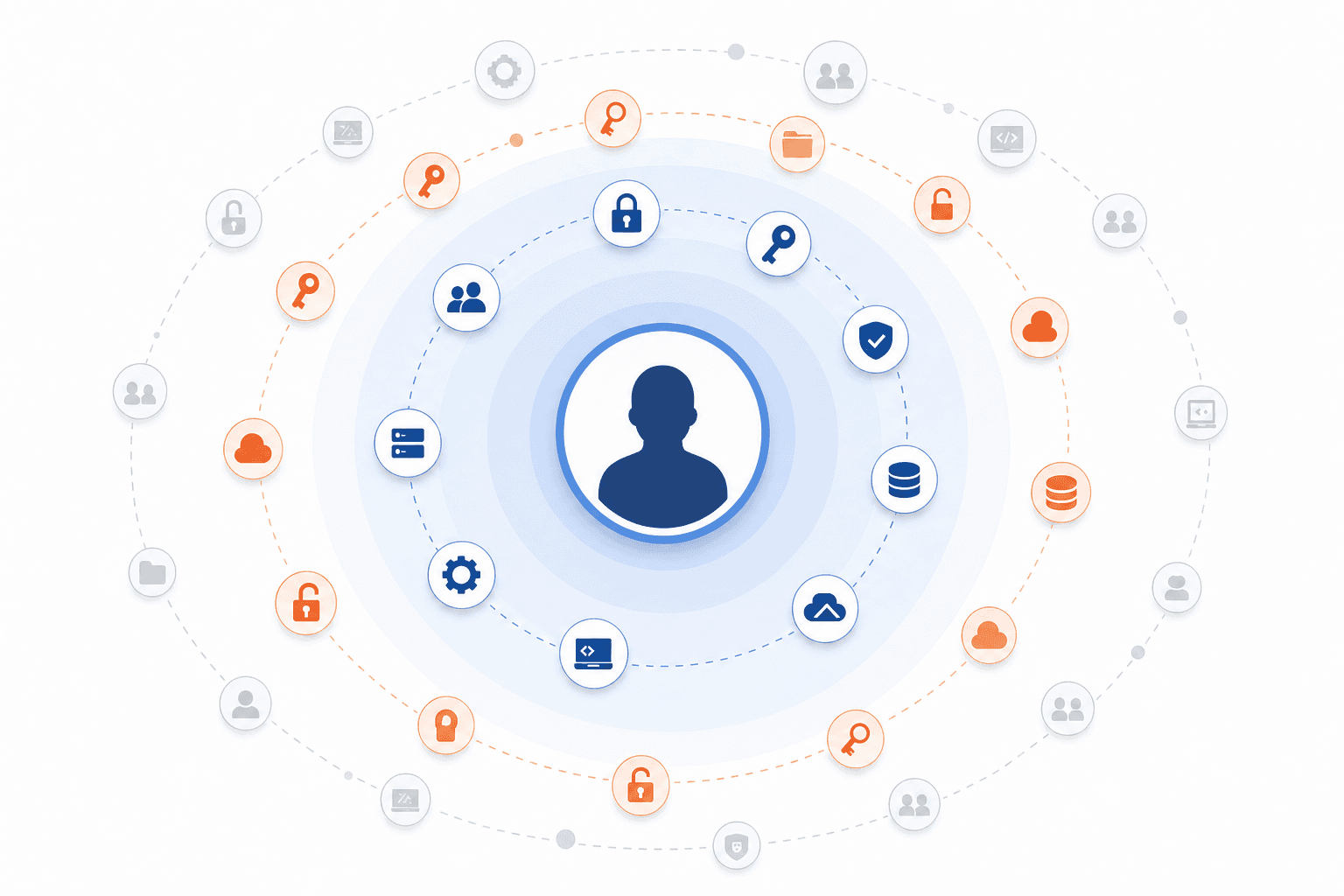
The consequences are measurable. According to CloudEagle, around 60% of data breaches involve excessive permissions. Periodic access reviews are the primary mechanism for catching these layers before they become attack surface.
User Access Review Process: Step-by-Step
A repeatable process keeps reviews from becoming ad hoc. Here's a framework you can reuse each cycle:
Define scope. Identify which systems, apps, and user populations are in this review. Start with high-risk or compliance-relevant systems if you can't cover everything at once.
Assign ownership. Decide who reviews each app. For teams under roughly 50 users per tool, the tool owner usually has enough context. Past that threshold, managers reviewing their direct reports works better.
Collect current access data. Pull user lists, roles, and permission levels from every in-scope system. Cross-reference against your HR system to flag terminated employees or recent role changes.
Review with context. Each reviewer should see a name, permission level, grant date, whether access was formally requested, and the person's current role. Context turns rubber-stamping into real decisions.
Remediate immediately. Revoke or downgrade flagged access. The longer the gap between decision and removal, the more risk you carry.
Document everything. Record every approve, modify, and revoke decision along with the reviewer's justification. This is your audit trail.
Schedule the next cycle. Set the date before you close the current review so the cadence stays consistent.
We break down the full step-by-step process including exactly how we cut our own user access reviews from two hours to ten minutes in our guide to user access reviews for small IT teams.
Manual vs. Automated User Access Reviews
For teams under 20 people, a spreadsheet and a few hours of focused work can get the job done. The tool owner probably knows every user by name, and the whole review fits into a single sitting.
The math changes once you scale past that.
Manual | Automated | |
|---|---|---|
Average completion time | 149 days | 14-55 days |
People involved | 23 | 15 |
Error risk | High (stale exports, copy-paste mistakes) | Low (live data pulls) |
Audit evidence | Assembled after the fact | Generated automatically |
Automation doesn't remove human judgment. Reviewers still decide whether each permission stays or goes. What a user access review automation tool changes is everything around that decision: data collection runs continuously, workflows route reviews to the right person without email chains, flagged access gets revoked in the same session, and the audit trail writes itself. If you're past 50 employees and still running reviews in Excel, the gap between "done" and "done correctly" is probably wider than you think.
User Access Review Best Practices
A solid process gets you compliant. These points are pulled from our best practices for successful audits:
Tie review frequency to risk. Admin accounts and finance systems deserve quarterly cycles; low-risk, read-only tools can go semi-annual.
Assign reviews to people with business context, beyond IT alone. A manager knows whether their report still needs Salesforce access; an IT admin often doesn't.
Maintain clean role definitions and permission standards. Reviews built on top of messy, ad hoc permissions just perpetuate the mess.
Write a formal policy that names the owner, cadence, and escalation path for each app category.
Train reviewers on what they're approving. Without context on what a permission actually grants, approvals become rubber stamps.
Layer continuous monitoring between scheduled cycles to catch high-risk changes in real time.
Track metrics like average remediation time and the number of violations found per cycle. If every review returns zero findings, your scope is probably too narrow.
How AccessOwl Simplifies User Access Reviews for Growing Companies
We built AccessOwl to solve the specific bottlenecks covered throughout this guide, particularly for companies between 50 and 300 employees preparing for SOC 2 or ISO 27001 without a dedicated identity team.
Where most review tools depend on SCIM (System for Cross-domain Identity Management) connections that only work if you've upgraded to enterprise SaaS plans, AccessOwl pulls user lists from 400+ apps using service accounts, APIs, and browser automation. That means your review covers the entire stack, beyond only the handful of tools where you've paid for SCIM.
Each review item comes enriched with context: whether access was formally requested, who approved it, the person's current HRIS data, and their history from prior review cycles. Reviewers get Slack notifications with time estimates, and when they flag an account for removal, revocation happens in the same session. No separate ticket, no waiting for someone in IT to act on it next week.
Evidence collection and export happen automatically, with a direct Vanta integration that sends audit trail data where your auditor already expects to find it.
FAQ
What is user access review in simple terms?
A user access review is a structured audit where designated reviewers check every user account across your systems to confirm who has access, what permissions they hold, and whether those permissions still match their current job role. The process creates a documented trail showing which access was approved, modified, or revoked, and who made each decision.
User access review tools vs spreadsheets: when should I switch?
Spreadsheets work fine under 20–30 employees where tool owners know every user by name. Switch to purpose-built software once reviews regularly take weeks to complete, involve more than 50 users per application, or when you need audit evidence that documents reviewer decisions and remediation timing automatically rather than assembling it after the fact.
How often should you conduct user access reviews for SOC 2?
SOC 2 expects periodic access reviews on a recurring basis, with most organizations running them quarterly or semi-annually depending on system risk. High-privilege accounts and systems tied to financial reporting typically warrant quarterly reviews, while standard business applications can follow a semi-annual cadence.
Can you automate user access reviews without SCIM?
Yes. Service-account-based tools pull user lists and permissions directly from SaaS applications using admin accounts, APIs, and browser automation rather than relying on SCIM connections that typically require enterprise-tier subscriptions. This approach covers your entire stack regardless of which vendors support SCIM.
What happens if you skip periodic user access reviews?
You accumulate orphaned accounts and over-provisioned access that auditors will flag during SOC 2 or ISO 27001 certification, potentially stalling the audit or costing you the certification that gates enterprise deals. Security risk compounds with every unmonitored account, and according to CloudEagle, around 60% of data breaches involve excessive permissions that regular reviews would have caught.
What is the difference between a user access review and access recertification?
They describe the same core activity. Access recertification is the term compliance and IGA tools tend to use for the formal step where a reviewer re-approves or revokes each person's access on a set schedule. A user access review is the broader process that recertification sits inside: defining scope, pulling access data, reviewing it with business context, remediating, and documenting the outcome.