

TL;DR
It's inevitable that employees will sign up for tools outside of your visibility. Employees don't have bad intentions. But it leaves you in the dark: when someone leaves, how do you know you revoked their access on every app? How do you catch unused licenses before they cost you?
This is where shadow IT discovery tools come in. They surface the apps employees signed up for outside your management system, so you can keep tabs on them without fully connecting each one.
In this blog:
Shadow IT tools differ most on two things: how they scan for apps and the core outcome they were built around (i.e. clean offboarding, cybersecurity posture, or spend management).
There are five broad types: features within enterprise IGA suites, cybersecurity platforms, SaaS spend platforms, and access governance tools with Shadow IT.
The blind spot that hurts most is missing apps during offboarding. Access to accounts linger which comes with security risk and more immediate compliance penalties.
The best pick for lean IT teams running on Google Workspace or MS 365 is AccessOwl, which integrates shadow IT discovery directly into offboarding and lifecycle management workflows.
What is Shadow IT? (and why it's getting worse)
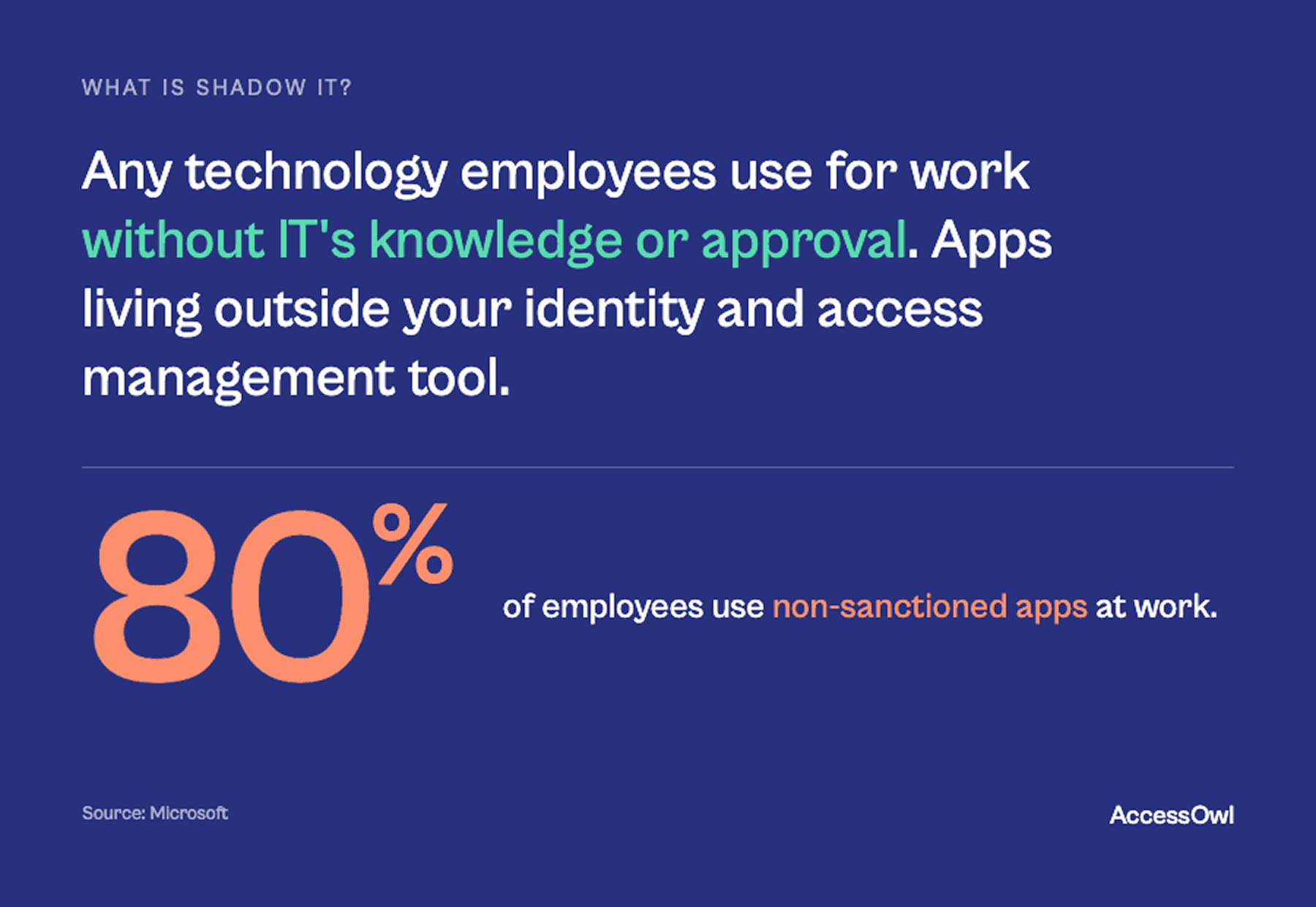
Shadow IT is any technology employees use for work without IT's knowledge or approval. Apps end up outside your IAM (Identity and Access Management) tool for a few reasons: an employee may have signed up with an email and password instead of single sign-on, or it may be an app IT decided not to connect because only a small number of people use it.
The scale is bigger than most teams assume. Microsoft reports that around 80% of employees use non-sanctioned apps. When IT admins guess how many cloud apps are in use they typically say 30-100 while the real number across an organization is often in the hundreds.
The risks of Shadow IT
The risk isn't that employees are malicious. It's the lack of visibility. Sensitive data sits in unvetted apps, OAuth grants quietly keep access alive, and some accounts outlive the people that have left the organization.
Where companies and IT teams see the most damage occur:
Access that lingers after someone leaves, causing security posture weakness or direct penalties from compliance frameworks like SOC 2.
Unused licenses from forgotten signups and orphaned account is a seat you're still paying for. This spend adds up: Gartner has found shadow IT accounts for 30 to 40% of IT spending in large enterprises (reported by CIO's enterprise shadow IT analysis).
A real world example is detailed by Khalifah from Sary:
"In one instance I found out that a former employee was still using a critical internal system three months after he left." Khalifah Alsadah, Product Manager, Sary
As Sary was in rapid growth to 600+ employees manual tracking across hundreds of SaaS tools was impossible, and hidden leftover access was the result.
Free Shadow IT discovery scan
After seeing how bad the tool sprawl problem has become (especially with rapid adoption of new AI assistant tools where employees casually enter sensitive data) we built a free Shadow IT scanner that looks at your Google Workspace or Microsoft 365 logs. It will surface the SaaS apps employees have signed into, who's using them, and the OAuth permissions those apps hold.
This free scan isn't the full discovery we run for our customers but it can give you an immediate idea of the shadow IT apps already in your organization. It takes less than five minutes to set up with no demo call or sign-up required.
How we assessed these shadow IT tools
We compared these tools on how they actually find shadow IT and what they let you do once they've found it. Five things matter most:
Discovery method and coverage: How does the tool scan. OAuth and single sign-on (SSO) logs, email/invite scanning, a browser extension, finance and expense data, or network traffic?
Action beyond discovery: Once an app is found, can you actually act on it (sanction it, revoke access, run a review) or does the tool just hand you a list to deal with yourself?
Offboarding coverage: Do the apps you've found automatically get pulled into the process when someone leaves? Many IT teams trigger Shadow IT reviews manually and end up being months too late.
Team-size fit, setup, and cost: Is the tool built for a lean team on Google Workspace, or a bundled solution for dedicated enterprise identity teams? We looked at deployment effort, minimum user counts (some tools require 100+ users), and whether there's a free way to start.
Best Shadow IT Tool for Lean IT Teams: AccessOwl
AccessOwl is a SaaS access governance tool that surfaces unmanaged apps on top of Google Workspace or Microsoft 365 and ties them straight into your access lifecycle management. It connects to 400+ SaaS applications without requiring SCIM or SAML.
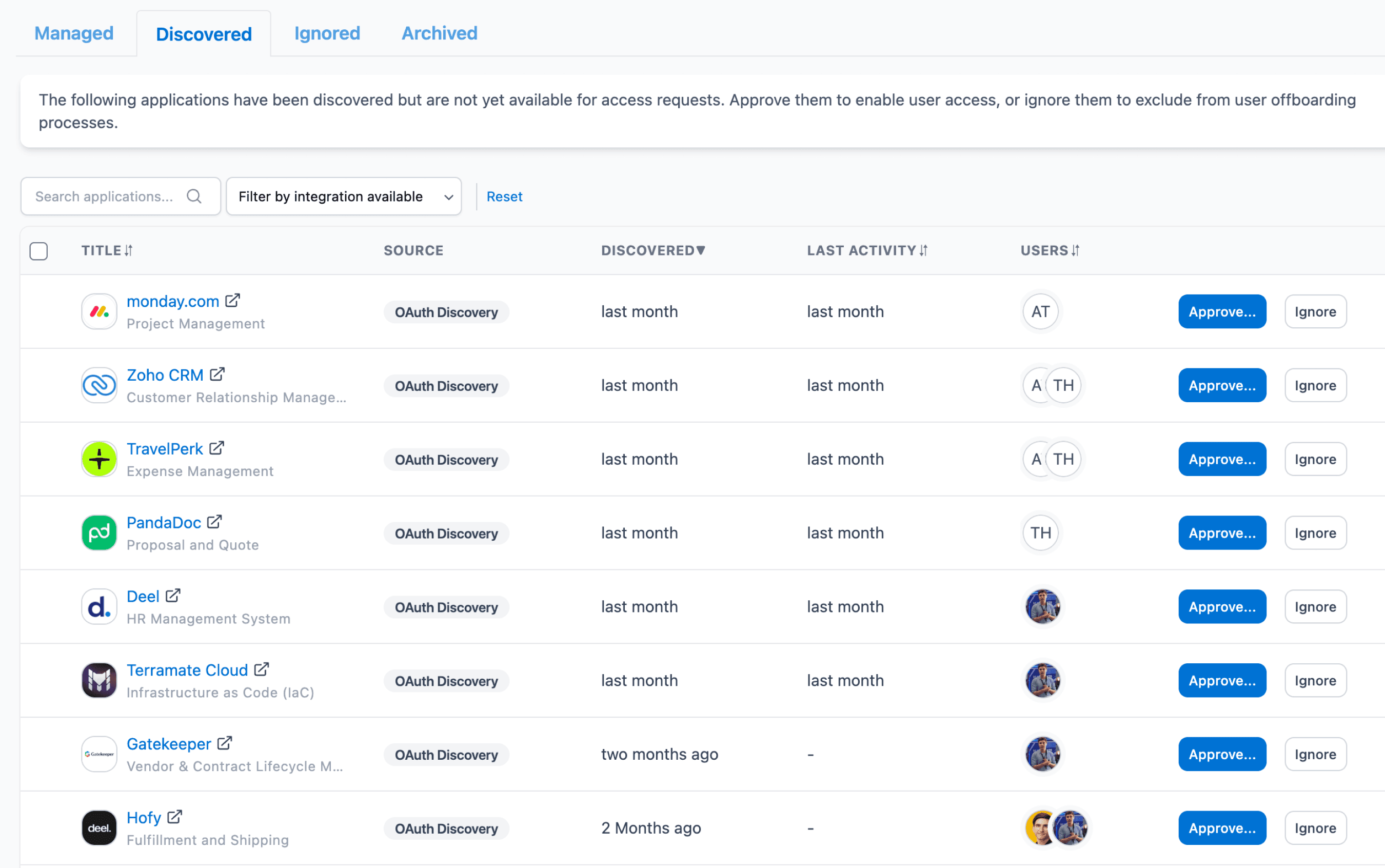
How AccessOwl discovers shadow IT
OAuth and SSO log analysis across Google Workspace and Microsoft 365. This surfaces apps employees signed up for with "Sign in with Google/Microsoft."
Email and invitation scanning in Gmail to find apps that were signed up for with an email and password instead of SSO login.
An advanced scan for non-OAuth apps (such as password managers) with AI auto-cataloging of discovered apps.
No browser extension and no endpoint agent. Discovery is identity and email based, so there's nothing for employees to install.
Who it's for
Lean IT teams (the early IT hires, or the non IT staff that inherited IT tasks like onboarding/offboarding and spend management). Purpose built for companies with 50 to 500 employees running Google Workspace or Microsoft.
It allows small teams to surface instant insights and remediate without standing up an enterprise suite.
AccessOwl's shadow IT is just unmatched. I didn't have to install any browser extension across the company. They just found everything. I've used AccessOwl's discovery to go to leadership and say, 'there's actually a bunch of people that have signed up for this. We haven't authorized this.' - Shane Fritts, Senior IT Manager, Maxio
Microsoft Entra ID Governance
Enterprise identity governance suites treat shadow IT visibility as one module inside a large platform built to govern access at scale. Microsoft Entra ID Governance (and Okta Identity Governance, its closest equivalent) layer reviews, certifications, and lifecycle policy on top of your identity provider.
How they discover shadow IT
Primarily through the identity provider itself. This is limited to the apps connected via SCIM/SAML and the OAuth grants visible to the directory. This approach is weaker on the long tail of apps that are not inside the directory.
Who it's for
Security teams and compliance-heavy or larger organizations that want enforcement at the network layer. The trade-off is structural: network-based discovery is blind to activity on personal devices, home networks, and anything off the corporate network, a big gap for remote and hybrid teams. It's also a security-team tool, not an IT-operations workflow, and it's often part of a broader (and pricier) security license.
Larger organizations with a dedicated identity or security team and mature identity infrastructure already in place. Deployment runs into months, governance mostly covers apps you've already connected, and the pricing and complexity are hard to warrant for a lean team.
Netskope
Cybersecurity platforms like Netskope detect shadow IT as a byproduct of securing the network. As a Cloud Access Security Broker (CASB), Netskope inspects traffic to spot access to unsanctioned apps in real time and can block or control it. Microsoft Defender for Cloud Apps offers a similar capability bundled into Microsoft 365 E5.
How they discover shadow IT
By inspecting network traffic and cloud-discovery logs from proxies and endpoints. This shows visibility into what's being accessed on managed devices.
Who it's for
This is a security team tool more than an IT-operations workflow. Security teams at larger organizations may want to enforce defences at the network layer. The trade-off is structural: network-based discovery is blind to activity on personal devices, home networks, and anything off the corporate network.
Nudge Security
Some tools lean on a managed browser extension, alongside email analysis, to see what employees actually use. Nudge Security is a strong example. It pairs broad visibility with lightweight employee "nudges."
How they discover shadow IT
Primarily by analyzing email metadata which surfaces essentially every app connected to a corporate email account, on any device or network, including personal devices, contractors, and free or AI tools.
They also offer a browser-extension layer. Browser extensions can catch any app regardless of sign-in method, but they require employees to install and keep the extension, raise privacy questions, and can be sidestepped by switching browsers.
Who it's for
IT and security teams that want a full picture of their shadow SaaS and AI estate and are comfortable engaging employees with nudges instead of hard blocks. The limitation is that Nudge is a Shadow IT governance layer with a focus on security, so it may be missing out of the box automations for other SaaS access management tasks across the joiner-leaver lifecycle, such as compliance records.
Torii
SaaS management platforms build their inventory from spend and integrations, so they're strongest on cost and license optimization. Torii is a great example of a shadow IT tool focused on SaaS spend reduction.
How they discover shadow IT
Mainly through finance and expense data (corporate cards, procurement) plus integrations with your SSO and other systems, with a browser extension available as an added signal.
Who it's for
Mid-market and enterprise IT teams focused on controlling SaaS spend and consolidating vendors. Worth noting for smaller teams: platforms in this category are typically quote-based, and Torii has historically required a minimum of around 100 users, which prices out some smaller organizations.
Summary Table of Shadow IT tools
The pattern: tools are best at what they were built to do. Security and finance-led tools are excellent at their core job but leave gaps at the edges. Access governance-focused tools like AccessOwl specialize in finding Shadow IT apps during offboarding, and was built for lean IT teams running on Google Workspace or Microsoft 365.
AccessOwl | Microsoft Entra ID Governance | Nudge Security | Torii | |
|---|---|---|---|---|
Shadow IT detection approach | OAuth/SSO logs + email scanning | Identity provider + connected apps | Email metadata + browser extension | Finance data + integrations |
Browser extension | No | No | Yes | Yes |
Focus | SaaS access governance (IGA) | Enterprise identity | SaaS discovery | SaaS spend management |
Works without SCIM/SAML | Yes | No | Yes | Yes |
Compliance evidence auto-collected | Yes | Yes (connected apps) | Partial | Limited |
Offboarding coverage | Automatic reminder of discovered apps | Connected apps only | Offboarding checks | Workflow-based |
Best for | Lean teams on Google/Microsoft | Enterprises with an identity team | Full shadow-SaaS/AI visibility | IT + finance optimizing spend |
Free scan available | Yes (without signup) | No | Free trial | No |
The different types of shadow IT tools
Shadow IT causes problems for different business functions, and different types of solutions have come up to tackle these different angles:
SaaS governance tools for lean teams (e.g., AccessOwl): tie discovery into requests, reviews, and offboarding without an enterprise suite.
Enterprise identity governance (e.g., Microsoft Entra, Okta): govern access at scale for large orgs with identity teams.
Cybersecurity / CASB platforms (e.g., Netskope, Microsoft Defender for Cloud Apps): detect and block at the network layer for security teams.
SaaS management / spend platforms (e.g., Torii, Zylo): discover through spend data to optimize licenses and vendors.
How to choose the right shadow IT tool (assessment checklist)
Match the scanning method to how your people actually work, and be clear on what your main objective with Shadow IT is. A quick checklist:
Are you already running SCIM/SAML infrastructure? If yes (with an identity team), an enterprise IGA suite fits; if not, choose a tool that works without them, like AccessOwl.
What's your primary goal? (A) Cybersecurity posture of employee devices to a CASB (Netskope, Microsoft Defender); (B) clean offboarding and compliance to lifecycle governance (AccessOwl); (C) cost reduction to a spend platform (Torii, Zylo).
Who's pushing for Shadow IT efforts? Security team to CASB/SSPM; IT operations to lifecycle/access governance; finance to spend-led SaaS management.
How does it fit your stack? Does the tool you are assessing connect to your identity provider and sit on top of it, or is it a separate system to build and does it need installs on end-user devices?
Run a shadow IT scan with AccessOwl
AccessOwl surfaces the apps your employees signed up for on their own, ties them into offboarding, and feeds your access reviews, without SCIM, SAML, or an enterprise suite to maintain. Want to see what's already running in your organization? Book a demo and we'll walk through it with you.
FAQ
How do I detect Shadow IT on Google Workspace and Microsoft 365?
Both keep OAuth and sign-in logs that show apps employees authorized with "Sign in with Microsoft/Google," and you can audit them manually. But they miss apps signed up for with a plain email and password, and sifting the logs by hand is slow and easy to let slide. Most teams layer in a dedicated tool like AccessOwl to catch these shadow IT apps when it comes time to offboard employees.
How does shadow IT create SOC 2 or ISO 27001 risk?
Both frameworks expect you to know who has access to what and to remove access when it's no longer needed. Unknown apps and orphaned accounts from departed employees are exactly what an access review is meant to catch, and they're a common finding in a first audit. Discovering shadow IT and feeding it into your access reviews turns a compliance liability into evidence you can show an auditor.
How do I discover AI tools my employees have signed up for that I don't know about?
The same way you find any shadow IT, but the method matters more, because many AI tools are free and never show up in expense data. Scanning your OAuth/SSO logs catches AI apps employees connected with "Sign in with Google/Microsoft," and email scanning catches the ones they signed up for directly with an email and password. Tools like AccessOwl will run these scans for you automatically.
Is there a free shadow IT discovery tool?
Yes. AccessOwl offers a free shadow IT scan for Google Workspace and Microsoft 365. There's no demo call and no sign-up: you connect your workspace and it surfaces "discovered SaaS apps" in use, who's using them, and the OAuth permissions they hold.
How do you catch shadow IT when someone leaves the company?
Offboarding is where shadow IT does the most damage, because a departing employee usually keeps access to apps that were never in your directory. The fix is to connect discovery to the leaver process, so every app that person signed up for is surfaced when they go. AccessOwl does this automatically.
What's the best shadow IT tool for a small company without a big IT team?
For a small company on Google Workspace or Microsoft without a dedicated identity team, a lightweight lifecycle governance tool is usually the best fit. AccessOwl discovers unmanaged apps and lets you act on them without SCIM, SAML, or an enterprise suite to maintain. Enterprise suites like Microsoft Entra or Okta are built for larger organizations with security or identity teams to run them.