
SCIM works great when vendors build it, price it reasonably, and implement it completely. That describes maybe 10% of the SaaS apps your team uses. The other 90% is the SCIM long tail, where provisioning automation breaks down because vendors never built the integration, locked it behind pricing tiers, or shipped partial implementations. Your identity provider can't close that gap.
TLDR:
SCIM covers fewer than 15% of the SaaS apps your company uses.
60-70% of your SaaS stack is shadow IT, invisible until offboarding fails.
SCIM creates accounts but not access; 80% of provisioning work happens after the protocol finishes.
Service accounts, private APIs, and RPA automate long-tail apps without enterprise pricing.
Understanding SCIM's Coverage Gap
SCIM, or System for Cross-domain Identity Management, is the closest thing the identity world has to a universal language for user provisioning. When it works, it works well: your identity provider talks to a SaaS app, and user accounts get created, updated, and deactivated automatically. No tickets. No manual admin console clicks. No orphaned accounts lingering weeks after someone leaves. For IT teams managing the employee lifecycle, SCIM is supposed to be the answer.
And for a handful of apps, it is. If you're provisioning users into Google Workspace, Slack, or Salesforce, SCIM handles the job cleanly. These are Tier 1 apps with mature integrations, dedicated identity teams on the vendor side, and strong incentives to support the protocol. The problem is that these apps represent a small fraction of what your company actually runs.
According to Productiv, an average organization uses 371 SaaS applications. Think about that number for a moment. How many of those apps support SCIM? If you're generous, maybe 30 to 50 of them do, and even that assumes you're paying for the pricing tier that unlocks SCIM access (more on that later). The rest sit outside the reach of your identity provider entirely.
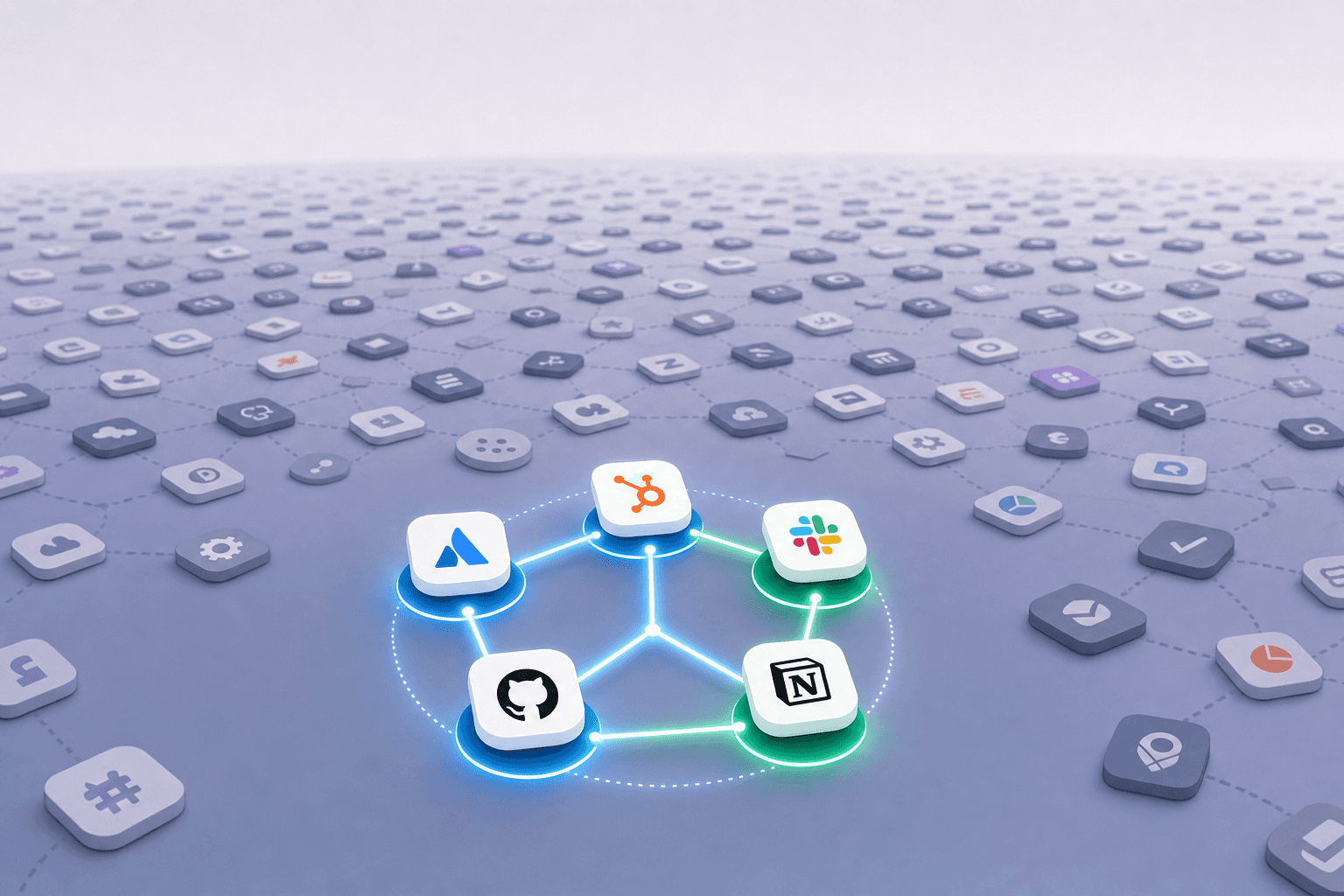
This gap between what SCIM can cover and what your organization actually uses is what we call the "long tail" of SaaS. It includes:
Department-specific tools that marketing, design, or data teams adopted without IT involvement, often through self-serve signups using company emails
Smaller or niche vendors that never invested engineering resources into building a SCIM integration, leaving no automated path for account lifecycle management
Free-tier or mid-tier subscriptions where the vendor locks SCIM behind an enterprise paywall, pricing provisioning automation out of reach for earlier-stage companies
Internal or custom apps that don't speak any standard identity protocol and require manual intervention for every onboarding and offboarding event
For the solo IT manager at a growing startup, this creates a frustrating split reality. Your top 10 apps might be neatly provisioned through SCIM. Everything else? That's a spreadsheet, a Slack message to a tool owner, or a mental note you hope you remember during offboarding. The automation story breaks down fast once you move past the apps that got the most engineering attention from their vendors.
SCIM solves provisioning for the apps that already had the resources to build it. The apps that need provisioning help the most are the ones least likely to support it.
What makes this particularly painful is the false sense of completeness. When you set up SCIM connections for your major apps and see those green checkmarks in your identity provider dashboard, it feels like the problem is solved. But the 300+ apps outside that dashboard don't disappear just because they aren't connected. They still have user accounts, they still hold company data, and they still need to be deprovisioned when someone leaves. The coverage gap isn't a minor edge case. For most organizations, it's actually the majority of their SaaS footprint.
SCIM remains a useful protocol for the apps that support it, but treating it as a complete provisioning strategy leaves too much on the table and too many accounts unmanaged.
Why Most SaaS Apps Never Get SCIM
The coverage gap described above isn't accidental, and it isn't temporary. Three structural forces keep the majority of SaaS vendors from ever offering SCIM, and understanding them matters because they shape how you should think about long-tail provisioning strategy.

Vendors Don't Build What They Can't Justify
Building a SCIM integration takes real engineering effort. A vendor needs to map their internal user model to the SCIM schema, handle create/update/delete operations reliably, manage edge cases around group membership, and maintain the integration as their product evolves. For a 50-person SaaS company selling a niche analytics tool or a design plugin, that investment rarely makes the roadmap. Their customers aren't asking for it in volume, and their engineering team has higher-priority features to ship.
The result is hundreds of perfectly useful SaaS products that simply don't speak SCIM and never will. There's no laziness behind it. The economics of building identity infrastructure only pencil out when you're selling to large enterprises that require it during procurement. If your buyer is a team lead swiping a corporate card, SCIM support isn't going to close the deal.
The Enterprise Pricing Wall
Even when a vendor does build SCIM, access to it is almost always gated behind their highest pricing tier. A survey of over 100 CISOs found that 80% of SaaS applications employees use at work are not integrated into any SSO portal, with the top reason being licensing cost. That same pricing wall applies to SCIM, since provisioning capabilities are typically bundled with enterprise plans alongside SSO and SAML.
For a Series A or Series B company running lean, upgrading every app to an enterprise tier just to unlock automated provisioning is a non-starter. You might justify the upgrade for Salesforce or your core project management tool. But for the 20 other apps your team relies on daily? The math doesn't work. You end up with a handful of SCIM-connected apps surrounded by dozens you provision manually, not because the protocol doesn't exist, but because you can't afford to turn it on.
Partial Implementations That Promise More Than They Deliver
Here's the third problem, and it's the most deceptive. Some vendors do offer SCIM, even at reasonable price points. But their implementations are incomplete. Maybe they support user creation and deletion but don't handle group assignments. Maybe they can set a basic role but can't provision the granular permissions your team actually needs, like project-level access or workspace-specific settings.
When you connect one of these partial SCIM integrations to your identity provider, the dashboard shows a green checkmark. But the reality on the ground is that someone still has to log into the app and configure the rest manually. You've automated half the workflow and created a false confidence that the whole thing is handled. In some ways, a partial implementation is worse than no implementation at all, because at least with no integration, you know the gap exists and can plan around it.
Barrier | What It Looks Like in Practice | How Common |
|---|---|---|
No SCIM built | Vendor has no identity integration whatsoever | Very common among niche and mid-market SaaS |
SCIM behind paywall | Integration exists but requires enterprise tier | Standard practice for most mid-to-large vendors |
Partial SCIM | User create/delete works, but permissions and groups are unsupported | Frequent even among vendors advertising SCIM support |
These three barriers aren't bugs in the system. They're features of how the SaaS market is structured. Vendors build SCIM when enterprise buyers demand it, lock it behind pricing tiers to monetize that demand, and ship incomplete versions when they want to check the box without dedicating ongoing engineering resources. For IT teams on the other side of that equation, the takeaway is straightforward: waiting for the SaaS ecosystem to solve this on its own is not a strategy.
The Economics of the SSO Tax and SCIM Bundling
The previous section covered why vendors gate SCIM behind enterprise tiers. But understanding the barrier is different from understanding what it actually costs you. The financial math here shapes every provisioning decision an IT manager at a growing company has to make.
The term "SSO Tax" has become shorthand in the IT community for SaaS vendors charging a steep premium for SSO and SAML support. The site ssotax.org tracks this practice across hundreds of vendors, and the pattern is consistent: basic authentication features that should arguably be standard get locked behind plans that cost two to five times more per seat. SCIM provisioning is almost always bundled into that same tier, making automated lifecycle management an expensive add-on rather than a default capability.
The Per-App Upgrade Math
Consider what this looks like in practice. Say you're running a 150-person company with 40 SaaS apps in active use. Maybe 8 of those already sit on enterprise plans because the features justified the spend. For the remaining 32, upgrading to unlock SCIM might mean jumping from $10 per user per month to $25 or $30. Multiply that delta across 150 seats and 32 apps, and you're quickly looking at six-digits in added annual spend, purely to access provisioning automation.
No Series A or Series B IT budget can absorb that. So you pick and choose. You upgrade the apps with the most users or the most sensitive data, and you leave everything else on lower tiers with manual provisioning. The decision isn't made on security grounds. It's made on budget grounds, and those two criteria rarely align.
Security vs. Budget: A False Choice
Here's where the tradeoff gets uncomfortable. The apps you can't afford to upgrade still hold company data. They still have active user accounts that need to be deprovisioned when someone leaves. They still represent compliance risk during an audit. But because the automation path requires a pricing tier you can't justify, those apps stay in the manual column indefinitely.
You're left choosing between three bad options:
Overspend on enterprise upgrades across your SaaS stack to get SCIM coverage, blowing through your IT budget in the process
Accept manual provisioning for most of your apps and absorb the security risk of spreadsheet-driven lifecycle management
Ignore the gap entirely and hope that orphaned accounts in lower-tier tools don't become a compliance finding or a breach vector
None of these are good answers. The frustrating part is that the technical capability to automate provisioning often exists on the vendor side. It's right there. You're just not paying enough to access it.
Why Vendors Won't Unbundle
From the vendor's perspective, bundling SCIM with enterprise pricing is rational. Identity integrations are a high-value feature for procurement-driven buyers, and gating them creates upgrade pressure. The vendor isn't trying to make your life harder. They're trying to capture the willingness to pay that enterprise buyers bring to the table. But the side effect is that every company below that enterprise threshold gets locked out of automation for apps where the price jump doesn't make business sense.
The SSO Tax and SCIM bundling aren't going away. If anything, as more vendors adopt usage-based and tier-gated models, the gap between "apps you can automate" and "apps you actually use" will keep widening. The question for IT teams is whether to keep playing by those rules or find a different path to lifecycle automation entirely.
What Falls Through the Cracks: The Long Tail Problem
We've talked about the coverage gap in abstract terms. But what does the long tail actually look like inside a real company? Knowing that SCIM only reaches a fraction of your apps is one thing. Understanding which apps fall outside that reach, and what data they hold, changes how you think about the risk.
The Composition of the Long Tail
At a typical Series B company running 150 to 200 apps, the managed stack usually includes the obvious suspects: your identity provider, email, Slack, maybe a CRM and a project management tool. That's your top 10 to 15. Everything else is a mix that looks something like this:
Marketing tools like Mailchimp, HubSpot add-ons, social scheduling apps, and analytics dashboards that the growth team adopted on their own without filing a request with IT
Design and product tools like Figma plugins, prototyping apps, user research repositories, and feature flagging services that engineering or product teams signed up for independently
Finance and HR tools like expense management apps, equity management portals, background check services, and payroll add-ons that hold deeply sensitive employee and financial data
AI and productivity tools that individual contributors started using last quarter and that nobody in IT has heard of yet
Each of these categories carries its own flavor of risk. The expense tool has credit card numbers. The equity portal has compensation data. The user research repository might hold recordings with customer PII. None of them connect to your identity provider, and none of them get deprovisioned automatically when someone leaves.
Shadow IT Is the Majority, Not the Exception
Across the mid-market companies we've onboarded, IT teams are typically unaware of 60 to 70% of their actual application stack. The apps you don't know about outnumber the ones you do by roughly two to one.
These aren't rogue employees acting maliciously. They're a marketing manager who signed up for a webinar tool with Google SSO, a data analyst who connected a BI app using "Sign in with Microsoft," or an engineering lead who spun up a free-tier monitoring service. Every one of those sign-ins leaves an OAuth trace, which is how shadow IT discovery tooling can surface them. But until someone actually looks, they're invisible.
The danger isn't that these tools exist. It's that they exist with active user accounts, company data, and zero lifecycle management. When an employee leaves, their access to Slack and Google Workspace gets revoked through your identity provider. Their account in that webinar tool, that BI app, or that free monitoring service? It sits there indefinitely, still holding active access to company data.
Why Auditors Care About Apps You Forgot
If you're working toward SOC 2 or ISO 27001, here's the uncomfortable truth: auditors don't limit their scope to the apps in your identity provider. They ask about your full application inventory, including how you know it's complete. If 60 to 70% of your stack is shadow IT, your access review evidence only covers a third of the picture.
The apps in the long tail aren't lower risk because they're smaller or less visible. A data breach through an unmanaged analytics tool with customer data carries the same regulatory consequences as a breach through Salesforce. The difference is that Salesforce has a SCIM connection and an offboarding workflow. The analytics tool has a shared login and a hope that someone remembered to remove the former employee.
Treating the long tail as an afterthought isn't a resource allocation decision. It's an unintentional acceptance of risk across the majority of your SaaS footprint, and it stays invisible right up until the moment it isn't.
SCIM's Granularity Problem: Accounts vs Access
Even when SCIM is connected and working exactly as designed, there's a subtler problem that most IT teams discover only after the integration is live: SCIM provisions accounts, not access. In practice, those are very different things.
What SCIM Actually Does
SCIM's core operations are straightforward. It creates a user record in a target application, updates attributes like name or email, and deactivates or deletes the account when triggered. The user exists in the app, or they don't. For lifecycle management, that on/off capability matters. But for day-one productivity? It barely scratches the surface.
When a new engineer joins your team, creating their Jira account is step one. Steps two through ten look more like this:
Assigning them to the correct Jira project boards based on their squad, which SCIM has no schema for and no way to express
Setting their role to the right permission level (developer vs. admin vs. viewer) within the project context, not just at the app level
Adding them to the appropriate Slack channels tied to those projects so they can actually follow along on day one
Granting them access to specific AWS resources, environments, or IAM roles that match their team's infrastructure responsibilities
Configuring their Google Workspace group memberships so they receive the right shared drives and calendar invites
SCIM handles the account creation. Everything after that? Someone does it by hand. The user shows up in the app, stares at an empty dashboard, and pings their manager or IT asking why they can't see anything. If you've lived through this, you know the pattern well.
The 80% You Still Do Manually
A reasonable estimate is that SCIM automates somewhere between 10 and 20% of what a complete provisioning workflow requires. The remaining 80 to 90% is permission assignment, team placement, resource-level configuration, and app-specific settings that SCIM's schema was never designed to carry. The protocol defines a user object with a limited set of attributes. It doesn't understand your Notion workspace hierarchy, your GitHub team structure, or your Figma project organization.
This creates an odd situation where your identity provider dashboard shows a successful SCIM push, the new hire technically has an account, and yet they can't actually do their job without further manual setup. The provisioning looks complete from the infrastructure side while remaining largely unfinished from the employee's perspective.
Why the Gap Persists
SCIM was built as an interoperability standard, not a deep integration protocol. Its design goal was to give identity providers a common way to manage user objects across applications. That goal was intentionally narrow, and for good reason: trying to standardize the permission models of thousands of different SaaS products would be an impossible task. Every app structures access differently. Roles in Salesforce look nothing like roles in AWS, which look nothing like roles in Figma.
So SCIM stays shallow by necessity. It gives you the user account and maybe a group assignment. Everything beyond that requires either the vendor building custom SCIM extensions (which is rare) or your IT team filling in the gaps manually. For a solo IT manager handling onboarding across 40 or 50 apps, that gap between "account exists" and "employee is fully provisioned" is where most of the actual work lives.
Approaches to Provisioning Beyond SCIM
Once you accept that SCIM won't cover most of your stack, the next question is obvious: what will? IT teams in the real world don't wait around for vendors to ship identity integrations. They cobble together whatever works, and the approaches fall into a few distinct categories.
Manual Provisioning Workflows
The most common fallback is also the least scalable. Someone in IT or a designated tool owner gets a Slack message, opens an admin console, creates the account. It works for 10 employees. At 100, it starts to crack. At 200, it's a full-time job spread across a dozen people who each own a handful of tools and respond on their own timelines.
The advantage of manual workflows is that they're universal. Any app with an admin console can be provisioned this way. The disadvantage is everything else: speed, consistency, auditability, and the ever-present risk that someone simply forgets.
Service Account-Based Automation
Some apps don't support SCIM but do allow you to create service accounts or API keys with admin-level permissions. Using these credentials, an external system can perform the same user management operations an admin would: creating accounts, assigning roles, adding users to groups. The integration runs outside the app's identity framework entirely, which means it doesn't depend on the vendor shipping any particular protocol support.
Private APIs and Undocumented Endpoints
Many SaaS products expose internal APIs that their own web interfaces call. These aren't the public, documented APIs you'll find in a developer portal. They're the endpoints that power the "Invite User" button in the admin panel. Reverse-engineering these endpoints and calling them programmatically can automate provisioning for apps that offer no official integration path. The tradeoff is maintenance: when the vendor ships a UI update, those endpoints can change without warning.
RPA and Browser Automation
When there's no API at all, robotic process automation steps in. An automated browser session logs into the admin console, navigates to user management, fills in the fields, and clicks submit. It's brittle, slower than API calls, and sensitive to UI changes. But for apps that truly offer no programmatic access, it remains the only automated option besides asking someone to do it by hand.
Hybrid Approaches
In practice, no single method covers everything. The most effective provisioning setups combine several of these techniques based on what each app supports:
SCIM for the Tier 1 apps that offer it at your current pricing tier, giving you standardized lifecycle management where it's available
Service account integrations for apps with usable APIs but no SCIM, letting you automate without waiting on vendor roadmaps
RPA for apps with no API access whatsoever, trading reliability for coverage in the most stubborn corners of your stack
Structured manual workflows with task tracking for anything that resists automation entirely, so at least nothing falls through the cracks
The right question isn't which approach is best. It's which combination gives you the widest coverage with the least ongoing maintenance burden. Each method carries its own failure modes, and a provisioning strategy that leans too heavily on any single technique will always leave gaps. What matters is having a system that knows which method to use for which app and can fall back gracefully when the primary method breaks.
Automating the Long Tail with AccessOwl
The hybrid approach described above is exactly what we built AccessOwl to do. Every method we covered, service accounts, private APIs, browser automation, and structured manual workflows, runs inside a single system that picks the right technique for each app automatically. You don't decide whether Zoom needs an API call or Jira needs a SCIM push. AccessOwl already knows.
Working With Your Existing Identity Provider
AccessOwl doesn't replace Google Workspace, Microsoft Entra, or Okta. It sits alongside whatever identity provider you already run and extends provisioning into the apps your IdP can't reach. If you have SCIM connections for your top 10 apps, those stay exactly where they are. We pick up everything else: the 60 to 80% of your stack that has no SCIM support, no enterprise tier, and no identity integration of any kind.
For apps that do connect to Okta, AccessOwl can push users into specific Okta groups tied to application assignments. For apps that don't, we connect directly using integration accounts with admin-level credentials, then handle user creation, role assignment, and group membership through whatever access path the app supports.
Beyond Account Creation
Because we're not limited by SCIM's schema, we can provision at a level of granularity the protocol was never designed for. That means assigning a new hire to specific Jira project boards, adding them to the right Google Workspace groups, or configuring workspace-level permissions in tools where a bare account is functionally useless. The goal is to make sure the user can do their job on day one, not merely that their account exists in the app.
Closing the Shadow IT Gap
AccessOwl connects to your identity provider's OAuth logs and reads every "Sign in with Google" or "Sign in with Microsoft" trace across your organization. Those traces get matched against a database of SaaS applications, surfacing the tools your team is actually using but nobody in IT provisioned. Once found, those apps get pulled into the same lifecycle workflows as everything else, including offboarding. When someone leaves, their accounts in shadow IT apps get flagged and deprovisioned alongside their managed stack.
What the Workflow Looks Like
The entire experience runs through Slack. A new hire triggers an onboarding flow, a role-based template determines which apps and permissions they receive, their manager reviews and adjusts if needed, and AccessOwl provisions everything across the stack. Each step is tracked, visible, and auditable. For apps where full automation isn't possible, tasks route to the responsible tool owner with clear instructions and confirmation tracking.
The net result is that provisioning coverage stops being a function of which vendors built SCIM and which pricing tiers you can afford. If you want to see how it works against your actual app stack, accessowl.com is the place to start.
Final thoughts on SCIM coverage and the long tail
Most IT teams treat SCIM as a complete provisioning solution when it only reaches a fraction of their stack. The long tail of SCIM is where your actual risk lives, in the 200+ apps that have no identity integration and never will. You can manage those apps manually or automate them through service accounts, APIs, and browser automation like AccessOwl does. See how it works with your app list.
FAQ
Can I automate provisioning for apps that don't support SCIM?
Yes. Tools like AccessOwl use service account integrations, private APIs, and browser automation to provision users in apps without SCIM support, covering the 300+ apps in your stack that your identity provider can't reach.
What's the difference between SCIM provisioning and full provisioning?
SCIM creates user accounts but rarely handles permissions, group assignments, or app-specific configurations. Full provisioning includes project board access, role assignments, and workspace settings so employees can actually work on day one, not just log in.
How much does it cost to unlock SCIM for all my SaaS apps?
Most vendors gate SCIM behind enterprise tiers that cost 2-5x more per seat than standard plans. For a 150-person company upgrading 30 apps to unlock SCIM, you're looking at tens of thousands in annual spend increases just to access automation.
Why do auditors care about shadow IT during access reviews?
SOC 2 and ISO 27001 auditors review your complete application inventory, including apps outside your identity provider. If 60-70% of your stack is shadow IT, your access review evidence only covers a third of actual user access across company data.
Should I buy Okta if I already have Google Workspace or Microsoft Entra?
Not if your gap is provisioning automation rather than authentication. Google Workspace and Microsoft Entra already handle SSO; what most Series A and B companies actually need is lifecycle automation across their SaaS stack, which works on top of your existing IdP without requiring an Okta migration.