
This is an in depth educational guide on SOC 2 access reviews meant for IT managers. We have an alternate guide with the quick step by step process to run SOC 2 access reviews. That article breaks down how it's typically done manually by non-IT personnel or early IT hires, and how to assess tools that automate SOC 2 access reviews.
If you're the first IT hire at a Series A or B company, SOC 2 access reviews just landed on your desk whether you asked for them or not. The process sounds straightforward: check who has access to what, confirm it's still appropriate, revoke anything that isn't. But nobody tells you that extracting permission data from 20 different SaaS apps takes a week, that chasing reviewers for responses takes another two, and that the gap between finding a problem and actually fixing it can stretch past a month if remediation is a separate manual step.
TLDR:
SOC 2 access reviews verify who has access to what across your SaaS apps and systems.
Manual reviews via spreadsheets work until you hit 50 employees or 15+ apps in scope.
Immediate remediation removes flagged access instantly rather than queuing it for weeks.
AccessOwl automates SOC 2 access reviews through Slack without requiring enterprise SCIM contracts.
What Is a SOC 2 Access Review and Why It Matters
A SOC 2 access review is a periodic audit of who has access to what across your SaaS applications and internal systems. The goal is straightforward: verify that every user account and permission level is appropriate for that person's current role. If someone has access they shouldn't, you catch it. If an account belongs to a former employee, you flag it and revoke it.
SOC 2 auditors care about access reviews because they sit at the heart of the Trust Services Criteria, specifically the Common Criteria related to logical and physical access controls (CC6.1 through CC6.3). Your auditor wants evidence that you regularly look at who can reach sensitive data and that you act on what you find.
Here's where most growing companies trip up: they treat access reviews like a compliance checkbox. Pull a spreadsheet once a year, get a few managers to sign off, file it away. That approach might survive your first audit cycle, but it leaves real security gaps in the meantime. An employee who changed teams three months ago might still have admin access to your production database. A contractor whose engagement ended in January might still be sitting in your AWS account in June.
Access reviews aren't about satisfying an auditor once a year. They're about maintaining the principle of least privilege as your company changes shape, which it does constantly at the Series A through Series C stage.
If you're the first (or only) IT hire at your company, SOC 2 access reviews are likely landing on your plate whether you asked for them or not. The good news: the process doesn't have to be painful. But it does have to be intentional, documented, and repeatable. Understanding what an access review actually requires, and why auditors scrutinize it so closely, is the first step toward building a process that works for your team size rather than against it.
How SOC 2 Access Review Requirements Actually Work
SOC 2 doesn't prescribe a specific cadence or format for access reviews. It tells you what outcomes to achieve, not how to achieve them. Understanding the difference between Type 1 and Type 2 audits is where the practical requirements start to take shape.
A Type 1 audit evaluates your controls at a single point in time. A Type 2 audit evaluates whether those controls operated consistently over a defined period, typically 3 to 12 months. If you tell your auditor you run quarterly reviews, you need evidence for every quarter in the audit window. Miss one and it becomes a control gap. Choosing a cadence you can actually sustain matters more than choosing the most aggressive one.
At the Series A or B stage, a reasonable scope includes your identity provider (Google Workspace or Microsoft Entra), version control like GitHub, cloud infrastructure accounts (AWS, GCP, Azure), and any application that touches customer data directly. You don't need to review every SaaS tool on day one. Start with systems that store, process, or transmit sensitive data, then expand as your compliance program matures.
The Simplest Access Review Process for Early-Stage Companies
If you have fewer than 50 employees and you're preparing for your first SOC 2 audit, your access review process can be remarkably low-tech. You don't need specialized software to pass. You need a repeatable process with documented evidence.
Here's what a minimal viable access review looks like in practice:
Log into each in-scope application and export or screenshot the user list with permission levels
Paste those lists into a shared Google Doc or Google Sheet, one tab per application
Send each list to the relevant reviewer, typically a manager or tool owner, and ask them to confirm whether every account and permission is still appropriate
For any access that's wrong, revoke it immediately and note what changed
Save the completed document with timestamps, reviewer names, and any remediation actions taken
That's the whole thing. A Google Sheet with a few tabs, some screenshots, and written confirmation from reviewers will satisfy most auditors as long as the evidence is clear and the cadence matches what you committed to in your control descriptions.
Where This Approach Works Well
For a 20 person startup with 8 to 12 SaaS applications in scope, the entire review might take an afternoon. Managers know their direct reports well enough to spot anomalies at a glance. Permission structures tend to be flat, with most people on similar access tiers. And the number of accounts to check is small enough that a spreadsheet doesn't become unwieldy.
Where It Starts to Strain
This process doesn't scale gracefully. Once you cross roughly 50 employees or 15+ applications in scope, the manual work compounds quickly. Chasing reviewers for responses eats time. Keeping screenshots organized across multiple review cycles gets messy. And the gap between finding a problem and actually revoking access widens when remediation is a separate manual step.
But if you're early stage and need to get through your first audit cycle? Screenshots and spreadsheets are a perfectly defensible answer. Start simple, stay consistent, and upgrade your tooling when the manual work becomes the bottleneck rather than before.
When Access Reviews Get Complicated (And How to Know You're There)
There's a moment in every growing company's compliance journey where the spreadsheet stops being a tool and starts being a liability. Recognizing that moment before your next audit cycle is what separates a smooth review from a scramble.
The clearest signal? When a single application has more than 50 active users, the person responsible for reviewing that app can no longer reliably confirm whether each account belongs there. At 20 users, a tool owner knows everyone by name. At 80, they're guessing. And guessing is exactly what SOC 2 auditors are trained to catch.
Signs You've Outgrown the Manual Approach
Watch for these patterns. Any two or three showing up together means your process needs to evolve:
Reviewers take more than a week to respond, or need repeated nudges before they act on flagged accounts
You're spending more time organizing evidence than actually conducting reviews, which means your documentation burden has overtaken the review itself
Permission structures have grown beyond simple binary access, with multiple roles, groups, or custom tiers per application that make yes/no approval decisions unreliable
Employee role changes like team transfers, promotions, and contractor conversions happen frequently enough that point-in-time snapshots go stale within weeks
Remediation happens days or weeks after a reviewer flags a problem, because revoking access is a separate workflow with its own bottleneck
Review Approach | Best For | Data Collection Method | Remediation Timeline | Audit Trail |
|---|---|---|---|---|
Manual Spreadsheet Reviews | Companies under 50 employees with fewer than 15 applications in scope | Manual screenshots and CSV exports pasted into Google Sheets, one tab per application | Days to weeks between flagging and actual access revocation, requires separate follow-up workflow | Saved spreadsheets with timestamps, screenshots, and written reviewer confirmations |
Partially Automated Reviews | Companies 50 to 150 employees with mixed application maturity | API calls for some apps, service account integrations where available, manual exports for the rest | Varies by application, some immediate through integrated tools, others still manual | Mixed documentation across compliance tools and exported reports |
Fully Automated Reviews (AccessOwl) | Companies 50 to 300 employees on Google Workspace or Microsoft Entra with standard-tier SaaS apps | Service account integrations that work without SCIM contracts, direct API connections, automated extraction across all in-scope applications | Immediate remediation when reviewer flags access, revocation happens in the same action through Slack workflow | Complete exportable logs with timestamps, reviewer names, justifications, and remediation actions auto-generated for audit |
What This Looks Like in Practice
You don't wake up one morning and suddenly need automation. It creeps up. The Q1 review takes a week. Q2 takes two and a half. By Q3, you're still chasing one reviewer from the previous cycle while trying to kick off the new one. The manual process didn't break all at once; it just stopped fitting the shape of your organization.
If that sounds familiar, you're past the inflection point. The next few sections cover how to structure and scale from here.
How to Structure Access Reviews by Role and Responsibility
The instinct at most startups is to funnel all access reviews through IT. You're the IT person, you manage the tools, so you should review the access. It makes sense on the surface, but it falls apart once your company has more than a couple of teams.
Here's the problem: you know what permissions exist, but you don't always know whether those permissions are still justified. A marketing manager can tell you in seconds whether their contractor still needs HubSpot admin access. You'd have to dig through Slack messages or ask around to reach the same conclusion. The person closest to the work is the person best positioned to judge whether the access matches the work.
Tool Owner Reviews
For smaller organizations, tool owner reviews are the simplest starting point. The person who owns an application usually knows exactly who should have access to it, and the user base for any single tool tends to be a small subset of the company. Training tool owners on the review process is straightforward, and tracking their completion is manageable when you only have a handful of them. A tool owner can assess whether an engineer still needs AWS access and whether that engineer's IAM role is correctly scoped or over-provisioned, because they understand the permission model firsthand.
Manager-Led Reviews
As your organization grows, tool owners start losing visibility into individual users. The person who owns Slack, for example, can't tell you which users should belong to which Slack groups or have access to specific channels once you have 100+ employees. That's when manager-led reviews make more sense. A manager knows what their direct reports do day to day, which applications those reports need, and what level of permissions the job requires. The scope follows the people instead of the tools: each manager reviews their direct reports' access across every application those reports use, which catches cross-tool permission drift that a single tool owner would never see.
Keeping IT in the Coordination Seat
Your role as the IT lead shifts from reviewing everything to running the process. You set the cadence, assign reviewers, track completion, and handle remediation when someone flags an issue. That distinction is what lets the process scale past a dozen applications without overwhelming you every quarter.
The Three Problems That Make Access Reviews Hard at Scale
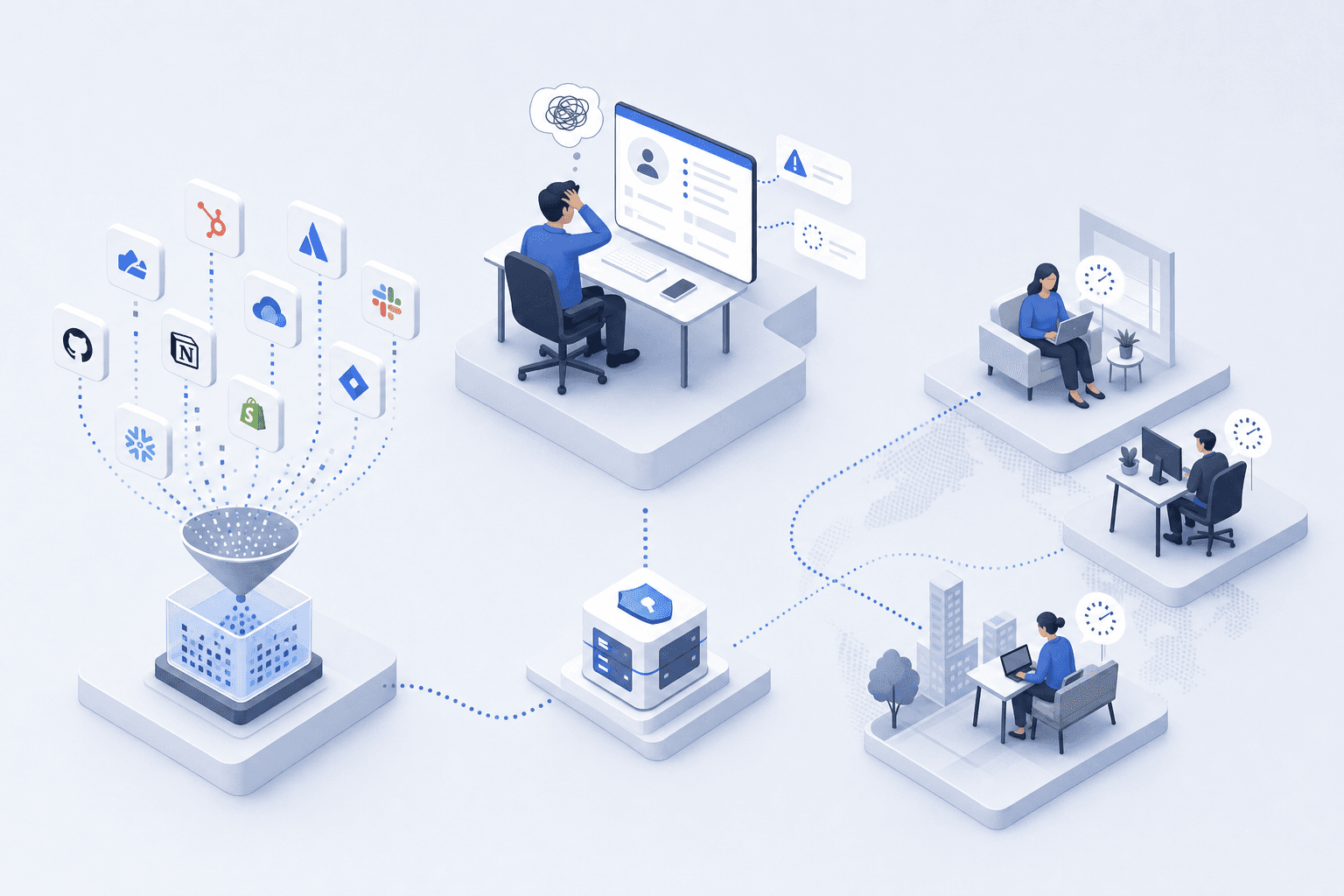
Once you've outgrown the spreadsheet era and assigned reviewers by role, three distinct problems tend to surface. They're worth naming individually because each one requires a different fix.
Problem 1: Getting Granular Permission Data Out of Applications
Most SaaS tools will give you a user list. Fewer will tell you what each user can actually do. And plenty of tools below the enterprise pricing tier have no export functionality worth mentioning. Extracting a list that says "Jane has read-only access to Project X" instead of just "Jane has an account" becomes its own mini-project for every application in scope. Multiply that across 20 or 30 tools and you've spent a week gathering raw data before a single review decision gets made.
Problem 2: Giving Reviewers Enough Context to Decide
A reviewer staring at a list of names and permission levels often lacks what they need to make a confident call. When was this access granted? Who approved it originally? Has the person's role changed since then? Without that context, reviews devolve into rubber-stamping — the reviewer approves everything because they can't tell which grants are stale and which are legitimate.
Problem 3: Coordinating Dozens of Non-Compliance Reviewers
Engineering managers, marketing leads, and finance directors all have day jobs that don't involve access governance. Asking 15 different people to complete reviews on a deadline means 15 different response timelines, reminder threads, and follow-up conversations. The coordination tax falls on you, the IT lead, and it grows linearly with the number of reviewers involved. Without a system that tracks who's done, who's stalled, and who hasn't started, you're running a project management exercise on top of a compliance exercise.
How to Extract User Lists and Permissions Without SCIM
SCIM (System for Cross-domain Identity Management) is the clean answer to this problem. It gives you a standardized way to pull user lists, roles, and group memberships from any application that supports it. The catch? Most SaaS vendors gate SCIM behind their enterprise pricing tier. If you're running 25 applications and only 4 of them are on enterprise plans, SCIM covers a fraction of your stack.
That leaves you with three practical alternatives for the rest.
Direct API Calls
Many applications expose user and role data through REST APIs even at lower pricing tiers. Slack, GitHub, Google Workspace, and Jira all offer admin APIs that return user lists with at least basic role information. The trade-off is that every API is different. One returns roles as a string field, another nests them inside group objects, and a third requires a separate endpoint per workspace. You'll spend time normalizing outputs, but the data is there if you're willing to write a few scripts or use a tool that handles the translation for you.
Service Account Integrations
A service account with admin-level read access can query application data the same way a human admin would, just programmatically. This approach works without requiring SCIM or SAML, which means companies on standard or mid-tier plans can still get automated user list extraction. It's the method AccessOwl uses for many of its direct integrations, connecting to apps that would otherwise require manual effort without enterprise-tier identity federation features.
Structured Manual Collection
For internal tools, custom-built applications, or SaaS products with no usable API, manual export is sometimes the only option. The key is making it structured rather than ad hoc. Give tool owners a consistent template, a deadline, and a clear list of fields you need: username, email, role, last login date, and any group memberships. A standardized spreadsheet template beats a screenshot every time because it's searchable, sortable, and easier to compare across review cycles.
Expect a Patchwork
The reality for most Series A through Series C companies is that their access review tooling will use all three methods at the same time. Some apps connect via API, a few support service accounts, and the rest get handled manually. A good SOC 2 access review process accommodates that patchwork instead of pretending it doesn't exist.
What Makes a Good Access Review Interface for Non-Technical Reviewers
Most access review tools are built for the person running the review, not the people actually doing it. That's a problem. The engineering manager you're asking to review 30 accounts across four applications doesn't live in your compliance tooling. They need to open a screen, understand what they're looking at, and make a decision in seconds per line item. Anything that slows that loop down increases the odds of two outcomes you can't afford: rubber-stamping or indefinite delay.
The Five Data Points That Matter Most
A good review interface surfaces context alongside each user account so the reviewer doesn't have to go looking for it elsewhere. These are the fields that consistently move a reviewer from "I'm not sure" to a confident approve or revoke:
Employment status: active, on leave, or already offboarded. A terminated employee's account should never require a judgment call.
Department and reporting line, so the reviewer can tell whether the person belongs in the application at all.
The original access request and who approved it. Knowing why access was granted shapes whether it should continue.
Previous review outcomes for the same account, so reviewers aren't re-litigating a decision that was already confirmed last quarter.
Recent permission changes since the last cycle — role elevations or group additions that should be called out rather than buried in a flat list.
Why Presentation Matters as Much as Data
A CSV with 15 columns doesn't count as context. The interface needs to make the right decision the easy decision: clear anomaly indicators, high-risk accounts surfaced first, and a single action per row. When reviewers move quickly and confidently, completion rates and review quality both improve.
Immediate Remediation vs Delayed Remediation in Access Reviews
Finding a problem and fixing a problem are two separate events in most access review workflows. The gap between them is where risk lives.
In a traditional review cycle, the timeline looks something like this: you spend a week collecting user lists, another week or two getting reviewers to complete their assessments, and then a third phase where someone (usually you) works through a remediation list, revoking access application by application. By the time a flagged account actually loses its permissions, three to six weeks may have passed since the reviewer said "this shouldn't be here."
That window matters. An orphaned account or an over-permissioned user doesn't become less dangerous because someone wrote "revoke" next to their name in a spreadsheet. Until the access is actually removed, the exposure is identical to never having reviewed it at all.
Immediate remediation collapses that window to near zero. When a reviewer flags an account for revocation and the system removes that access in the same action, the risk reduction is real rather than theoretical. There's no remediation queue. No follow-up ticket assigned to a tool owner who's busy with other priorities. The review decision and the enforcement happen in the same step.
This distinction also changes reviewer behavior. When people know their "revoke" decision takes effect right away, they engage more carefully with each line item. When they know it goes into a queue that someone else handles later, the sense of consequence fades. The review becomes more perfunctory.
For Type 2 audits, the difference shows up in your evidence too. Auditors want to see both that you identified inappropriate access and that you acted on it within a reasonable timeframe. "Same day" reads very differently than "three weeks later" in an audit report.
How to Build an Audit Trail That Satisfies SOC 2 Auditors
Your auditor isn't going to take your word for it. They want artifacts: timestamped records showing who reviewed which accounts, what decision they made, and why. If you can't produce that evidence on demand, the review might as well not have happened.
A complete audit trail for a SOC 2 access review needs four elements per decision:
The reviewer's identity and their relationship to the account being reviewed, whether that's a manager, tool owner, or both
A timestamp for when the review decision was recorded
The outcome: confirmed, modified, or revoked
A written justification, even a brief one, explaining the decision. "Still on the project" counts. A blank field does not.
Beyond individual decisions, auditors want to see the review's lifecycle from start to finish. When was the review initiated? When did each reviewer complete their portion? Were there any accounts that went unreviewed, and if so, why? A dashboard or summary export that answers these questions saves you hours of back-and-forth during audit prep.
Structuring Documentation for Export
If your evidence lives in Slack threads, email chains, and three different spreadsheets, you'll spend days reconstructing the narrative every audit cycle. The fix is simple in concept: every review should produce a single exportable report that contains the full decision log, timestamps, reviewer names, and remediation actions taken. Whether that export comes from a compliance automation tool like Vanta or from a purpose-built access review system, the output needs to stand on its own without you narrating what happened.
The best audit trail is one you never have to manually assemble. If you're copying and pasting evidence into a folder the week before your auditor arrives, your process has a gap worth closing.
Continuous Access Review vs Periodic Access Review
Periodic reviews operate on a fixed schedule: quarterly, semi-annually, or annually. You collect user lists, distribute them to reviewers, and document what you find. Between those cycles, access changes happen without anyone checking whether they still make sense. The review is a snapshot, and snapshots go stale.
Continuous access review flips that model. Instead of auditing access after it's been granted on a fixed cadence, you control access at the point of entry and let time-based constraints handle some of the auditing for you. Think of it as three interlocking pieces:
Time-bound access grants that expire automatically unless actively renewed, so temporary permissions don't quietly become permanent ones
Controlled provisioning through a single request and approval workflow, which means no one gets access without a documented reason in the first place
Automated detection of permission drift, where changes to roles, group memberships, or employment status trigger a review rather than waiting for the next scheduled cycle
The honest reality? Most companies at the Series A or Series B stage won't run a fully continuous model. The tooling requirements, the integration depth across your SaaS stack, and the process maturity needed to pull it off are real barriers. What you can do is move incrementally. Start with periodic reviews on a cadence your team can sustain. Layer in time-based access for your highest-risk applications. Route all new access through an approval workflow so your periodic reviews have fewer surprises to catch.
Periodic and continuous aren't binary choices. They sit on a spectrum, and every step toward continuous reduces the risk your periodic reviews are designed to catch.
How AccessOwl Automates SOC 2 Access Reviews
Every problem described in the sections above (extracting permissions without SCIM, giving reviewers enough context, closing the gap between flagging and fixing, assembling audit evidence) is one we built AccessOwl to solve.
We pull user lists and permission data through service account integrations that work at standard pricing tiers, beyond just SCIM. That patchwork of APIs, direct connections, and manual fallbacks? We handle the translation so you don't have to write the scripts yourself.
Reviews happen in Slack. When a reviewer gets a notification, they see employment status, department, and permission level in the same view. They confirm, modify, or revoke with a single action. When they revoke, the access is removed immediately, not queued for someone to handle next week.
The audit trail writes itself. Every decision carries a timestamp, a reviewer name, and a justification. When your auditor asks for evidence, you export a complete log rather than reconstructing it from screenshots and email threads.
If you're running a team of 50 to 300 people on Google Workspace or Microsoft Entra, you don't need enterprise contracts across your entire SaaS stack to run a proper SOC 2 access review. You need a system that meets your applications where they are and keeps the process repeatable without consuming your entire quarter.
Final Thoughts on Access Review Automation
The gap between finding inappropriate access and actually revoking it is where most SOC 2 access review processes fall apart. You can build a perfect spreadsheet, get every reviewer to respond on time, and still leave former employees sitting in production systems for weeks because remediation is a separate manual workflow. Closing that gap doesn't require enterprise tooling or a security team. It requires a system that treats review decisions and access changes as the same action instead of two disconnected steps. Your next Type 2 audit will ask whether you maintained your controls consistently over time, and consistency is hard when the process depends on heroics every quarter. Book a quick call if you want to see how automated remediation actually works.
FAQ
What's the fastest way to run a SOC 2 access review if I'm under 50 employees?
Export user lists from each in-scope application, paste them into a Google Sheet with one tab per app, send each list to the relevant manager or tool owner for confirmation, revoke any flagged access immediately, and save the completed document with timestamps and reviewer names. This low-tech approach passes audits if you stay consistent with your committed cadence.
SOC 2 access review quarterly vs annual?
Quarterly reviews are easier to complete on time (55 days average with automation vs 149 for manual) and catch access drift before it compounds, but annual reviews work if you're early stage with minimal role changes. The key is committing to a cadence you can actually sustain, because missing even one cycle in a Type 2 audit becomes a control finding.
Can I automate access reviews without SCIM?
Yes. Service account integrations and direct API connections work at standard pricing tiers for most SaaS applications, so you can pull user lists and permissions without requiring enterprise-only features like SCIM or SAML. You'll likely use a mix of API calls, service accounts, and structured manual exports depending on which tools are in scope.
What makes an access review fail a SOC 2 audit?
Missing your committed review cadence, lacking timestamped evidence with reviewer names and justifications, or having a multi-week gap between flagging inappropriate access and actually revoking it. Auditors want proof you both identified problems and fixed them within a reasonable timeframe, beyond just documenting issues.
Should managers or tool owners review access for SOC 2?
Managers should review their direct reports' access across all applications those people use, while tool owners should review high-risk systems like AWS, your data warehouse, or production environments where they understand the permission model in depth. You coordinate the process, track completion, and handle remediation rather than reviewing every account yourself.